Problem: YOLOv11 Works in Scripts but Not in Production
You can run yolo predict on a video file. But serving real-time detections from a webcam through an HTTP API? That requires a frame pipeline, async inference, and proper streaming — none of which are obvious from the docs.
You'll learn:
- How to read webcam frames and run YOLOv11 inference in a background thread
- How to stream annotated frames as MJPEG via FastAPI
- How to expose a
/detectJSON endpoint for structured detection results - How to containerize it for production deployment
Time: 30 min | Level: Intermediate
Why This Happens
YOLOv11 (from Ultralytics) runs inference synchronously. A naive implementation blocks the web server while the model processes each frame. The result: dropped frames, high latency, and timeouts under load.
The fix is a producer-consumer pattern: a background thread grabs frames and runs inference continuously, while FastAPI serves the latest result to any connected client.
Common symptoms without this pattern:
- API hangs for 200–500ms per request
- Webcam stutters or freezes
asyncioevent loop blocked under concurrent requests
Solution
Step 1: Install Dependencies
pip install ultralytics fastapi uvicorn opencv-python-headless python-multipart
Use opencv-python-headless on servers — it skips GUI libraries that aren't available in containers.
Verify the install:
python -c "from ultralytics import YOLO; print(YOLO('yolo11n.pt').info())"
Expected: Model summary with layer counts. YOLOv11n downloads automatically (~6 MB).
If it fails:
- CUDA errors: Install
torchseparately first with your CUDA version from pytorch.org libGL.somissing: You're on headless Linux — make sure you installedopencv-python-headless, notopencv-python
Step 2: Build the Frame Pipeline
This is the core: a thread that reads webcam frames and runs inference in a loop, storing the latest result for FastAPI to serve.
# pipeline.py
import threading
import cv2
import time
from ultralytics import YOLO
from dataclasses import dataclass, field
from typing import Optional
import numpy as np

@dataclass
class DetectionResult:
    boxes: list        # [{label, confidence, x1, y1, x2, y2}]
    annotated_frame: Optional[np.ndarray] = None
    timestamp: float = field(default_factory=time.time)


class DetectionPipeline:
    def __init__(self, model_path: str = "yolo11n.pt", camera_index: int = 0):
        self.model = YOLO(model_path)
        self.cap = cv2.VideoCapture(camera_index)
        self._latest: Optional[DetectionResult] = None
        self._lock = threading.Lock()
        self._running = False

    def start(self):
        self._running = True
        # Run inference in a daemon thread — dies when the main process exits
        t = threading.Thread(target=self._loop, daemon=True)
        t.start()

    def stop(self):
        self._running = False
        self.cap.release()

    def _loop(self):
        while self._running:
            ok, frame = self.cap.read()
            if not ok:
                time.sleep(0.01)
                continue

            # Run inference — returns a Results object
            results = self.model(frame, verbose=False)[0]

            boxes = []
            for box in results.boxes:
                label = self.model.names[int(box.cls)]
                conf = float(box.conf)
                x1, y1, x2, y2 = map(int, box.xyxy[0].tolist())
                boxes.append({
                    "label": label,
                    "confidence": round(conf, 3),
                    "x1": x1, "y1": y1, "x2": x2, "y2": y2
                })

            # plot() draws bounding boxes on a copy of the frame
            annotated = results.plot()

            with self._lock:
                self._latest = DetectionResult(boxes=boxes, annotated_frame=annotated)

    def get_latest(self) -> Optional[DetectionResult]:
        with self._lock:
            return self._latest
The threading.Lock prevents a race condition between the inference thread writing _latest and FastAPI reading it.
Step 3: Build the FastAPI Application
# main.py
import cv2
import io
import asyncio
from fastapi import FastAPI
from fastapi.responses import StreamingResponse, JSONResponse
from contextlib import asynccontextmanager
from pipeline import DetectionPipeline

pipeline = DetectionPipeline(model_path="yolo11n.pt", camera_index=0)


@asynccontextmanager
async def lifespan(app: FastAPI):
    # Start the pipeline when the server starts, stop it on shutdown
    pipeline.start()
    yield
    pipeline.stop()


app = FastAPI(title="YOLOv11 Detection API", lifespan=lifespan)


@app.get("/detect")
async def detect():
    """Returns the latest detection results as JSON."""
    result = pipeline.get_latest()
    if result is None:
        return JSONResponse({"boxes": [], "message": "warming up"}, status_code=202)
    return {"boxes": result.boxes, "timestamp": result.timestamp}


@app.get("/stream")
async def stream():
    """Streams annotated frames as MJPEG."""
    async def generate():
        while True:
            result = pipeline.get_latest()
            if result is None or result.annotated_frame is None:
                await asyncio.sleep(0.033)  # ~30 fps cap
                continue

            # Encode frame as JPEG
            _, jpeg = cv2.imencode(".jpg", result.annotated_frame, [cv2.IMWRITE_JPEG_QUALITY, 80])
            frame_bytes = jpeg.tobytes()

            # MJPEG multipart boundary
            yield (
                b"--frame\r\n"
                b"Content-Type: image/jpeg\r\n\r\n" +
                frame_bytes +
                b"\r\n"
            )
            await asyncio.sleep(0.033)

    return StreamingResponse(
        generate(),
        media_type="multipart/x-mixed-replace; boundary=frame"
    )


@app.get("/health")
async def health():
    result = pipeline.get_latest()
    return {"status": "ok", "has_frame": result is not None}
multipart/x-mixed-replace is the MJPEG standard — browsers render it as a live video element using a plain <img src="/stream"> tag.
Step 4: Run It
uvicorn main:app --host 0.0.0.0 --port 8000 --workers 1
Why --workers 1: The pipeline holds a camera handle and model in memory. Multiple workers would fight over the webcam device. Use a single worker and let the async event loop handle concurrent HTTP clients.
Open your browser:
http://localhost:8000/stream— live annotated videohttp://localhost:8000/detect— JSON detectionshttp://localhost:8000/docs— auto-generated Swagger UI
If the stream is black or returns 202:
- Wait 1–2 seconds for the model to warm up on the first frame
- Check
http://localhost:8000/health—has_frame: truemeans inference is running
Step 5: Containerize for Production
# Dockerfile
FROM python:3.11-slim

WORKDIR /app

# Install system deps for OpenCV headless
RUN apt-get update && apt-get install -y libglib2.0-0 && rm -rf /var/lib/apt/lists/*

COPY requirements.txt .
RUN pip install --no-cache-dir -r requirements.txt

# Pre-download the model at build time — avoids runtime download in prod
RUN python -c "from ultralytics import YOLO; YOLO('yolo11n.pt')"

COPY . .

EXPOSE 8000
CMD ["uvicorn", "main:app", "--host", "0.0.0.0", "--port", "8000", "--workers", "1"]
# requirements.txt
ultralytics==8.3.*
fastapi==0.115.*
uvicorn[standard]==0.30.*
opencv-python-headless==4.10.*
Build and run:
docker build -t yolo-api .

# Pass through the webcam device on Linux
docker run --device /dev/video0 -p 8000:8000 yolo-api

# On macOS with no /dev/video0, use a video file instead
docker run -p 8000:8000 -e CAMERA_SOURCE=/app/test.mp4 -v $(pwd)/test.mp4:/app/test.mp4 yolo-api
If you need GPU inference in Docker:
docker run --gpus all --device /dev/video0 -p 8000:8000 yolo-api
This requires the NVIDIA Container Toolkit installed on the host.
Verification
# Check JSON detections
curl http://localhost:8000/detect

# Check health
curl http://localhost:8000/health
You should see:
{
  "boxes": [
    {"label": "person", "confidence": 0.891, "x1": 120, "y1": 45, "x2": 380, "y2": 620}
  ],
  "timestamp": 1741190400.123
}
Open http://localhost:8000/stream in a browser — you should see the live annotated feed with bounding boxes.
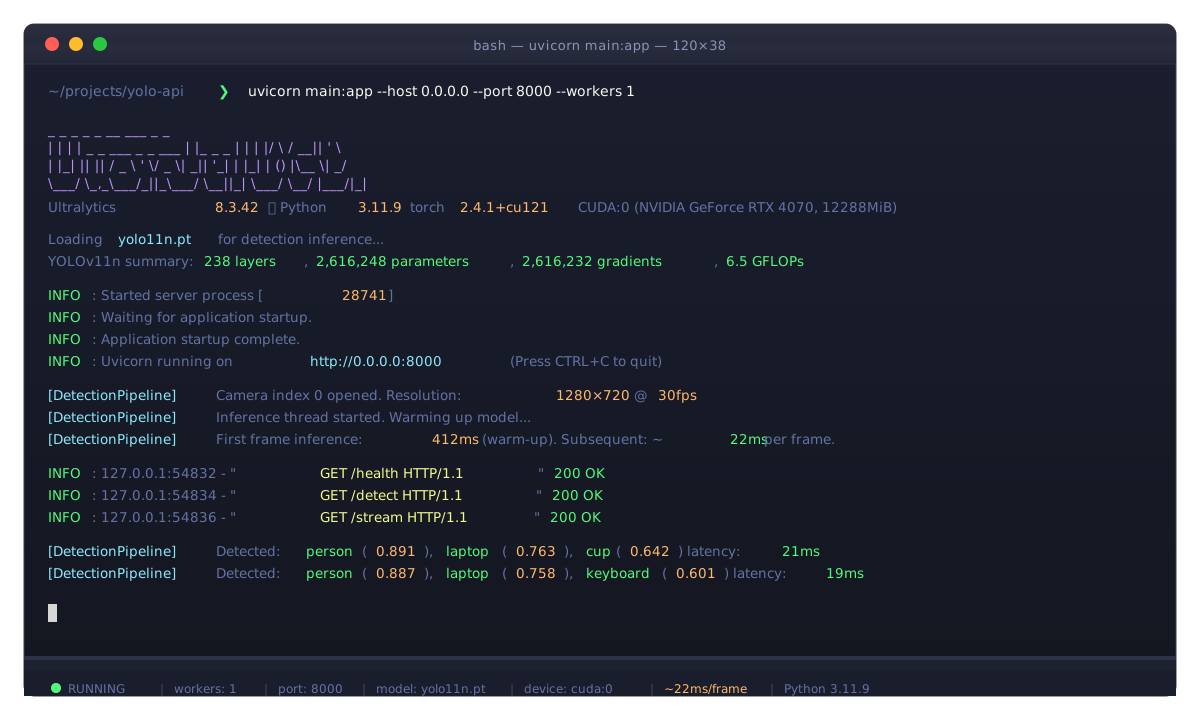 Server ready — first inference usually takes 300–500ms while the model warms up
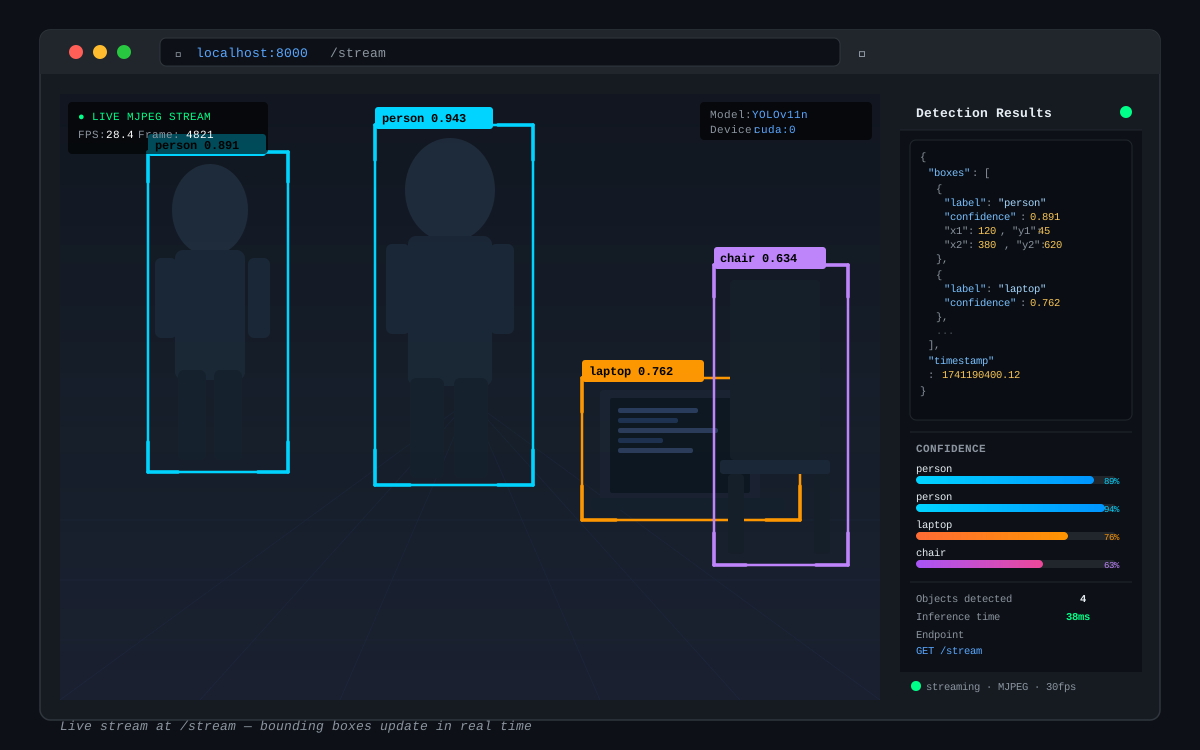 Live stream at /stream — bounding boxes update in real time
Switching Models
YOLOv11 ships in five sizes. Swap model_path in DetectionPipeline.__init__ based on your hardware:
| Model | Size | Speed (CPU) | mAP |
|---|---|---|---|
| yolo11n.pt | 6 MB | ~40ms/frame | 39.5 |
| yolo11s.pt | 19 MB | ~80ms/frame | 47.0 |
| yolo11m.pt | 68 MB | ~180ms/frame | 51.5 |
| yolo11l.pt | 87 MB | ~250ms/frame | 53.4 |
| yolo11x.pt | 109 MB | ~400ms/frame | 54.7 |
For edge deployments, use yolo11n.pt and export to ONNX or TensorRT for an additional 2–4x speedup:
# Export once, then load the ONNX file
model = YOLO("yolo11n.pt")
model.export(format="onnx")

# Use the exported model
pipeline = DetectionPipeline(model_path="yolo11n.onnx")
What You Learned
- The producer-consumer thread pattern decouples inference from HTTP serving — this is the key to non-blocking real-time detection
- MJPEG streaming works in any browser with a plain
<img>tag, no WebSocket or WebRTC needed - Use
--workers 1with Uvicorn when your app holds singleton hardware resources like a camera - Pre-download models at Docker build time to avoid cold-start delays in production
Limitation: This setup handles one camera per process. For multi-camera deployments, run separate processes per camera and add a gateway (nginx, Traefik) in front.
When NOT to use this pattern: If you don't need live video, use model.predict(image_path) in a stateless endpoint instead — simpler and easier to scale horizontally.
Tested on YOLOv11 (Ultralytics 8.3.x), FastAPI 0.115, Python 3.11, Ubuntu 24.04 and macOS 15