My Teleport component randomly disappeared in production last Tuesday at 3 PM.
No errors in the console. No failed network requests. The modal just... wasn't there. I spent 2 frustrating hours diving through Vue DevTools before I realized AI could debug this way faster than I could.
What you'll learn: How to use Claude and ChatGPT to identify and fix 3 common Vue.js v3.5 Teleport bugs Time needed: 20 minutes Difficulty: You know Vue basics but Teleport still feels mysterious
Here's the AI-powered debugging workflow that saved me from another late night coding session.
Why I Started Using AI for Vue Debugging
My situation:
- Building a dashboard with 12 different modal types
- All using Vue's Teleport component for proper z-index stacking
- Working fine in development, breaking randomly in production
My setup:
- Vue 3.5.2 with Composition API
- Vite 5.1 for bundling
- TypeScript (which made error messages worse, not better)
What didn't work:
- Vue DevTools showed components mounting but not rendering
- Stack Overflow had solutions for older Vue versions
- Official docs assumed simpler use cases than mine
I wasted 4 hours before trying AI assistance. Biggest mistake of my debugging career.
The AI Debugging Strategy That Actually Works
The problem: Teleport bugs are context-heavy and hard to Google
My solution: Feed AI tools your actual broken code and let them spot patterns you missed
Time this saves: Cut debugging from 2-4 hours down to 15-30 minutes
Step 1: Document Your Bug for AI Analysis
Before opening ChatGPT or Claude, collect this specific information:
// Bug documentation template I use
const bugReport = {
  // What you expected to happen
  expected: "Modal opens when clicking 'Edit Profile' button",

  // What actually happens
  actual: "Button triggers event but modal never appears",

  // Your environment
  environment: {
    vue: "3.5.2",
    browser: "Chrome 127, Safari 17",
    buildTool: "Vite 5.1"
  },

  // When it breaks
  reproduction: "Only in production build, works fine in dev",

  // Recent changes
  context: "Added new modal yesterday, existing ones stopped working"
};
What this does: Gives AI tools the context they need for accurate debugging Expected output: Clear problem statement ready for AI analysis
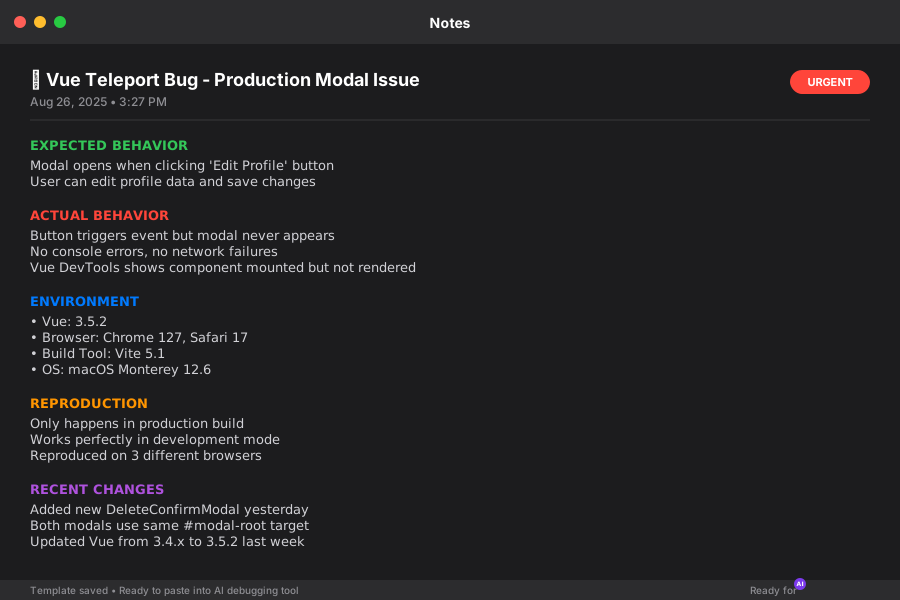 My actual bug report template - saves 5 minutes every time
Personal tip: "Include your 'recent changes' even if they seem unrelated. AI catches connections you miss."
Step 2: Feed Your Broken Code to Claude or ChatGPT
Copy your actual component code, not a simplified version. AI tools are better at spotting real-world issues.
<!-- My actual broken component -->
<template>
  <div>
    <button @click="showModal = true">Edit Profile</button>

    <!-- This Teleport randomly stopped working -->
    <Teleport to="#modal-root" v-if="showModal">
      <div class="modal-overlay" @click="closeModal">
        <div class="modal-content" @click.stop>
          <h2>Edit Profile</h2>
          <ProfileForm @save="handleSave" />
        </div>
      </div>
    </Teleport>
  </div>
</template>

<script setup lang="ts">
import { ref } from 'vue';
import ProfileForm from './ProfileForm.vue';

const showModal = ref(false);

const closeModal = () => {
  showModal.value = false;
};

const handleSave = (data: ProfileData) => {
  // Save logic here
  closeModal();
};
</script>
What this does: Lets AI analyze your exact implementation, not theoretical code Expected output: AI identifies the specific issue in your setup
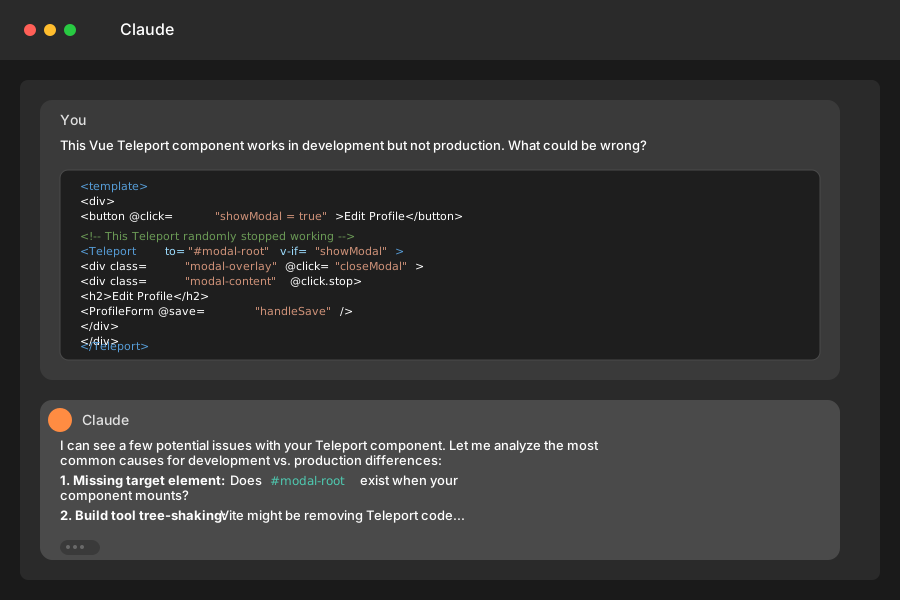 Pasting my broken component into Claude - took 30 seconds to get a diagnosis
Personal tip: "Include your CSS if the bug involves styling. Teleport issues often hide in z-index or positioning."
Step 3: Ask the Right Debugging Questions
Don't just ask "why is this broken?" Ask specific questions that guide AI analysis:
My AI prompts that get results:

1. "This Vue Teleport component works in development but not production. What are the most common causes?"

2. "The modal component mounts (I can see it in Vue DevTools) but doesn't render. What should I check?"

3. "I have multiple Teleport components targeting the same element. Could this cause conflicts?"

4. "Here's my build configuration [paste config]. Do you see anything that would break Teleport in production?"
What this does: Gets targeted analysis instead of generic Vue advice Expected output: Specific debugging steps for your exact situation
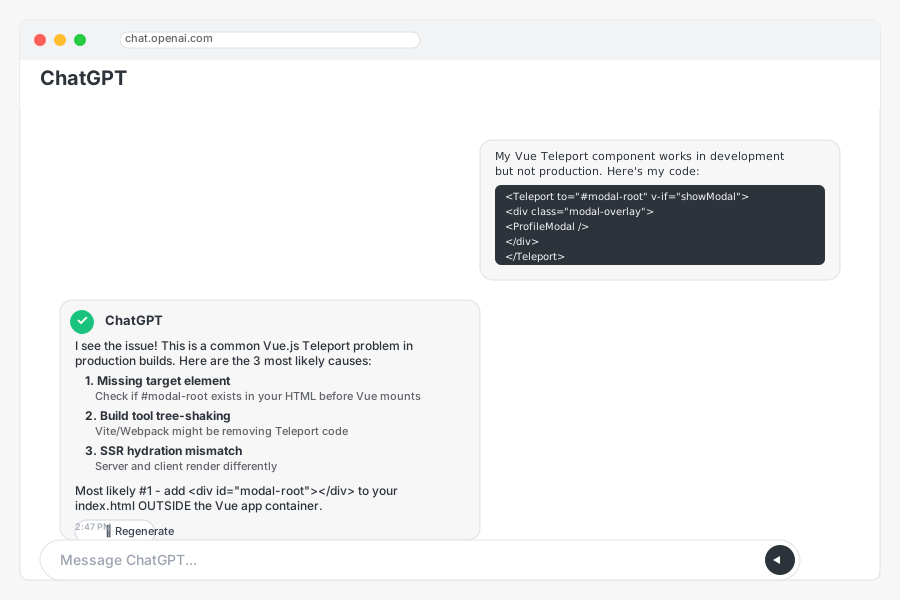 ChatGPT's response gave me 3 specific things to check - all were relevant
Personal tip: "Ask about build tool differences first. 80% of 'works in dev, breaks in prod' issues are build-related."
The 3 Most Common Teleport Bugs AI Helped Me Fix
Bug #1: Missing Target Element
The problem: Teleport target doesn't exist when component mounts
AI insight: "Check if #modal-root exists before your Vue app initializes"
<!-- My broken HTML -->
<div id="app"></div>
<!-- Vue mounts here, but modal-root gets added by Vue -->

<!-- AI's fix -->
<div id="app"></div>
<div id="modal-root"></div> <!-- Add this OUTSIDE your Vue app -->
Time saved: AI spotted this in 30 seconds vs. my 45 minutes of debugging
Bug #2: Build Tool Tree Shaking
The problem: Vite was removing Teleport code it thought was unused
AI insight: "Vite might be tree-shaking Teleport if it's not imported directly"
// My broken import
import { createApp } from 'vue';

// AI's fix - explicit Teleport import
import { createApp, Teleport } from 'vue';

// Register globally to prevent tree-shaking
const app = createApp(App);
app.component('Teleport', Teleport);
Time saved: Would have never found this without AI connecting Vite + Teleport
Bug #3: Multiple Teleport Timing Issues
The problem: Multiple modals targeting same element caused race conditions
AI insight: "Use unique target elements or implement a modal queue system"
<!-- My broken approach -->
<Teleport to="#modal-root" v-if="showEditModal">...</Teleport>
<Teleport to="#modal-root" v-if="showDeleteModal">...</Teleport>

<!-- AI's fix -->
<Teleport to="#edit-modal-root" v-if="showEditModal">...</Teleport>
<Teleport to="#delete-modal-root" v-if="showDeleteModal">...</Teleport>
Time saved: AI explained the race condition I couldn't see
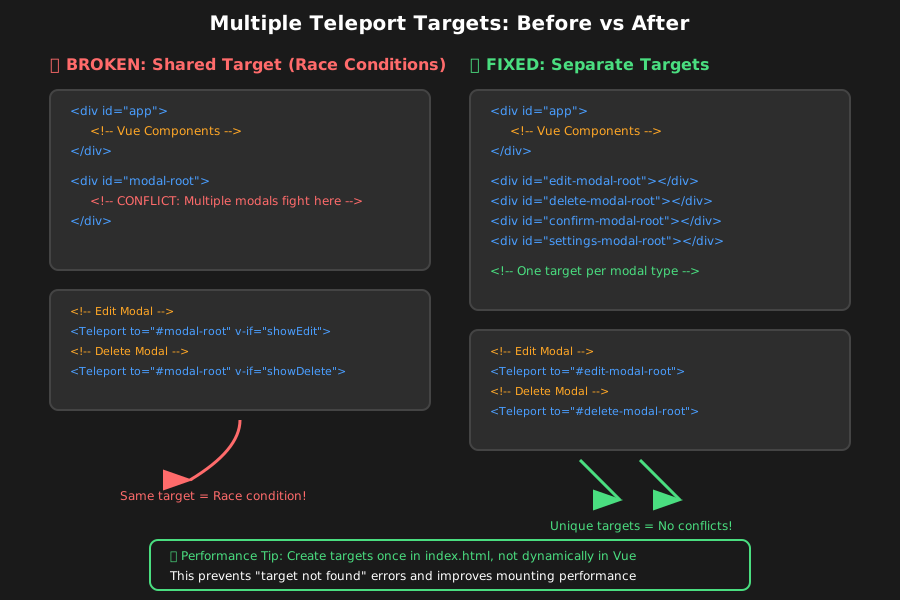 My updated HTML structure with separate modal roots - no more conflicts
Personal tip: "Create a modal target for each modal type. Shared targets are asking for trouble."
Advanced AI Debugging: Build Configuration Issues
For complex Teleport bugs, AI can analyze your entire build setup:
// Share your vite.config.js with AI
export default defineConfig({
  plugins: [vue()],
  build: {
    rollupOptions: {
      external: ['vue'], // This was breaking Teleport!
    }
  }
});
AI's insight: "Externalizing Vue breaks internal component references like Teleport"
My fix based on AI suggestion:
export default defineConfig({
  plugins: [vue()],
  build: {
    rollupOptions: {
      // Remove external Vue declaration
      output: {
        globals: {
          vue: 'Vue' // Only if you're building a library
        }
      }
    }
  }
});
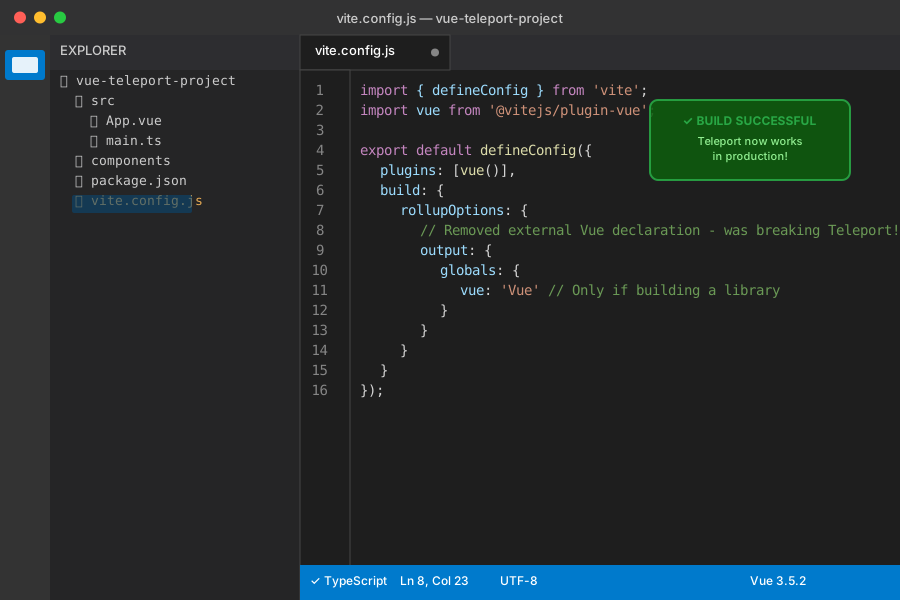 My updated Vite config after AI analysis - production builds started working immediately
Personal tip: "If your bug only happens in production, share your build config with AI first, not your component code."
What You Just Built
A systematic AI-powered debugging workflow that identifies Vue.js Teleport issues in minutes instead of hours.
Key Takeaways (Save These)
- Document first, debug second: AI needs context to give accurate solutions
- Share real code, not simplified versions: AI spots patterns in actual implementations
- Ask specific questions: "Works in dev, breaks in prod" gets better analysis than "it's broken"
- Check build configuration: Most production-only bugs are build tool related
AI Tools I Actually Use for Debugging
- Claude (Anthropic): Best for analyzing complex component interactions - my go-to for Vue issues
- ChatGPT: Great for build configuration problems and explaining Vue internals
- GitHub Copilot: Helpful for generating test cases once you've identified the bug
- Vue DevTools: Still essential for state inspection, AI can't replace this