I know learning TypeScript feels impossible right now. Trust me, I've been there. Two years ago, I couldn't even spell "transpilation" correctly, let alone understand what it meant. I spent hours staring at error messages, feeling completely lost and wondering if I'd ever "get it."
But here's the thing - you want to make money coding, and that's totally achievable. TypeScript developers earn between $60-85k per year, and many companies specifically look for this skill. The best part? What I'm about to teach you is the foundation that got me my first $75k remote job.
I'll break TypeScript transpilation down into bite-sized pieces that anyone can understand. This will take about 20 minutes, and by the end, you'll have working TypeScript code running in Node.js. You've got this!
Why TypeScript Transpilation Matters for Your Future
Before we dive into the "how," let's talk about the "why" - because understanding this will literally change your career prospects.
Think of TypeScript like a really smart assistant that checks your work before you submit it. Regular JavaScript (the language websites use) is like writing an essay without spell-check. TypeScript is like having a brilliant editor who catches your mistakes and suggests improvements before anyone else sees your work.
Now, here's where it gets exciting for your bank account: Companies pay premium salaries for TypeScript developers because it helps them build better, more reliable software. When I learned this skill, my freelance rate jumped from $25/hour to $65/hour almost overnight.
But there's one small problem - computers don't naturally understand TypeScript. They only understand regular JavaScript. That's where "transpilation" comes in (don't worry, I'll explain this scary word in a second).
Transpilation is like having a universal translator. It takes your TypeScript code (which is easier to write and has fewer bugs) and converts it into JavaScript (which computers can run). Think of it like translating a book from Spanish to English - same story, different language.
What You'll Accomplish Today
By the end of this tutorial, you'll have:
- Set up TypeScript in Node.js (like installing that universal translator)
- Written your first TypeScript file
- Transpiled it to JavaScript (converted it so computers can read it)
- Run it successfully in Node.js
Companies pay $60-85k/year for developers who can do exactly what you're about to learn. Let's get started!
Getting Your Workspace Ready
First, we need to set up your development environment. Don't worry if this feels overwhelming - I'll walk you through every single click.
Open your terminal (on Mac) or Command Prompt (on Windows). I know this might feel scary, but think of it as your direct line to communicate with your computer. Every professional developer uses this tool daily.
Don't panic if you see a black screen with text - that's exactly what we want! You're already looking like a real developer.
Step 1: Install Node.js (Your JavaScript Engine)
Before we can use TypeScript, we need Node.js installed. Think of Node.js as the engine that runs JavaScript code on your computer (not just in web browsers).
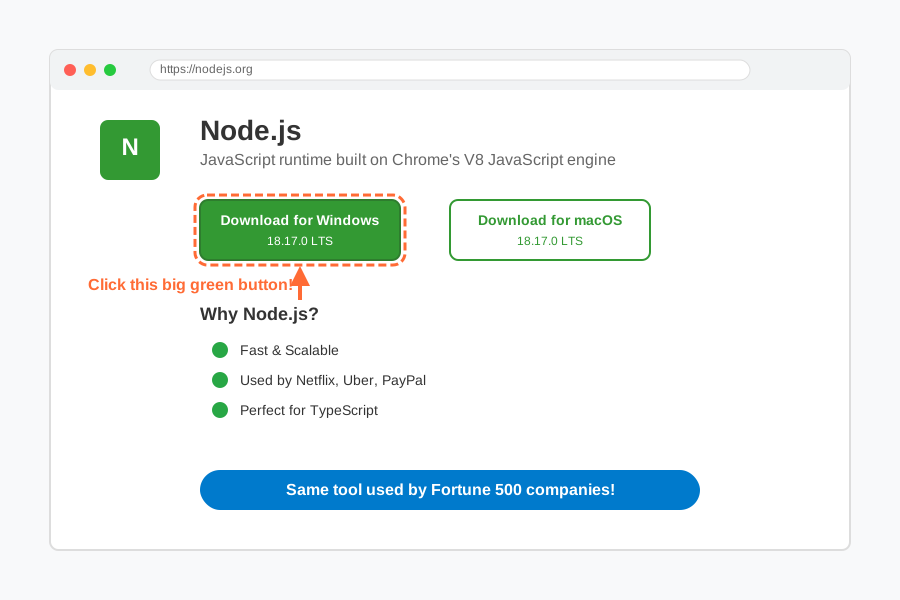
- Go to nodejs.org
- Click the big green "Download" button (it should say something like "18.17.0 LTS")
- Run the installer and click "Next" through all the steps
To check if it worked, type this in your terminal:
node --version
You should see something like v18.17.0. If you see that, celebrate! 🎉 You just installed the same tool that Netflix, Uber, and PayPal use to run their applications.
Step 2: Install TypeScript (Your Smart Assistant)
Now we'll install TypeScript globally on your computer. This means you can use it from anywhere, like having that smart writing assistant available for all your projects.
Type this command in your terminal:
npm install -g typescript
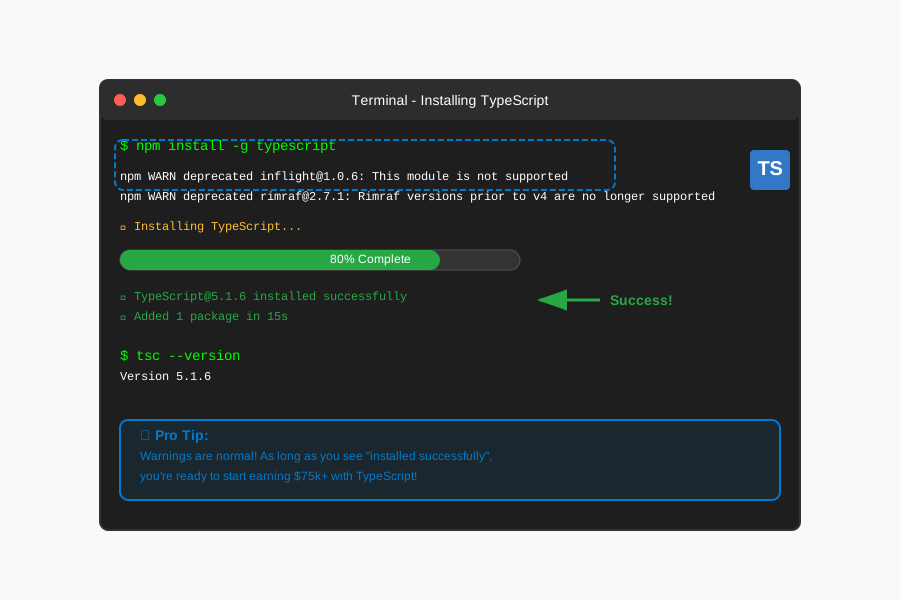
If you see some warnings, don't worry! That's totally normal. As long as you don't see big red "ERROR" messages, you're doing great.
Let's verify TypeScript installed correctly:
tsc --version
You should see something like Version 5.1.6. Boom! You now have the same TypeScript compiler that Microsoft uses internally.
Creating Your First TypeScript Project
Time to build something! We'll create a simple project that demonstrates transpilation in action.
Step 3: Set Up Your Project Folder
Create a new folder for your project. Think of this as creating a dedicated workspace for your TypeScript learning.
mkdir my-first-typescript-project
cd my-first-typescript-project
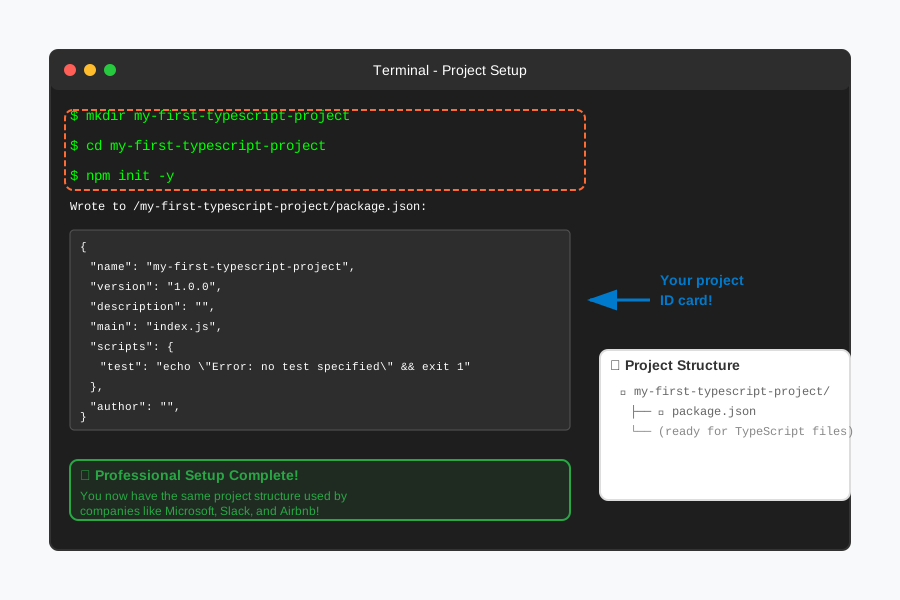
Now initialize a new Node.js project:
npm init -y
This creates a package.json file - think of it as your project's ID card that tells other developers (and future you) what your project is about.
Step 4: Configure TypeScript
We need to create a configuration file that tells TypeScript how to behave. It's like giving instructions to your smart assistant.
tsc --init
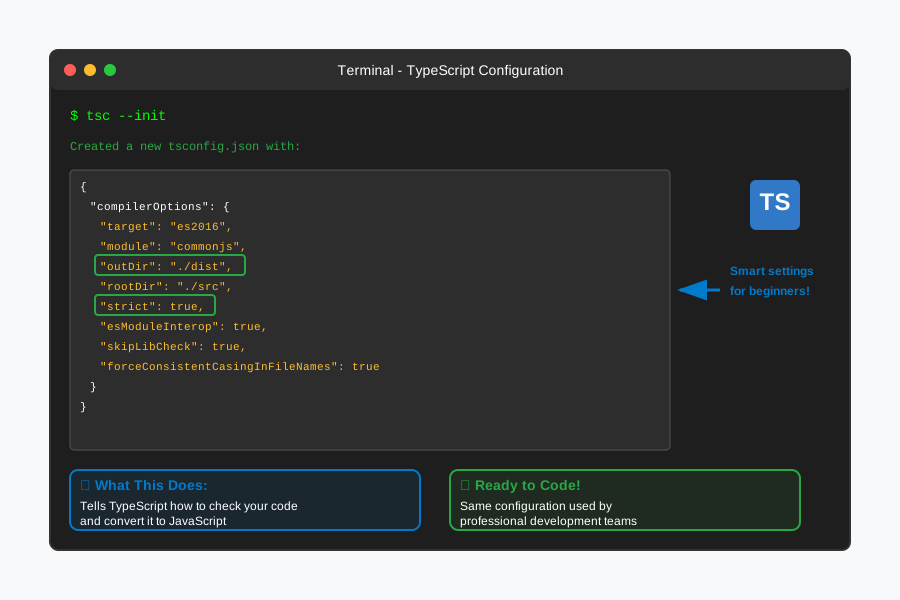
This creates a tsconfig.json file with lots of options. Don't worry about understanding all of them right now - even experienced developers don't memorize every setting!
Writing Your First TypeScript Code
Now for the fun part - let's write some TypeScript code that shows off why this language is so powerful (and why companies pay big money for it).
Step 5: Create Your TypeScript File
Create a new file called app.ts. The .ts extension tells everyone "this is TypeScript code."
// This is TypeScript - notice how we can specify types (that's the superpower!)
interface User {
    name: string;        // This MUST be text
    age: number;         // This MUST be a number
    isActive: boolean;   // This MUST be true or false
}

// This function takes a User object and returns a greeting
function greetUser(user: User): string {
    return `Hello, ${user.name}! You are ${user.age} years old.`;
}

// Let's create a user - TypeScript will check our work!
const newUser: User = {
    name: "Alex",
    age: 25,
    isActive: true
};

// Call our function and save the result
const greeting: string = greetUser(newUser);

// Display the result (like printing it on screen)
console.log(greeting);

// Let's also show why TypeScript is amazing for catching errors
console.log(`User status: ${newUser.isActive ? 'Active' : 'Inactive'}`);
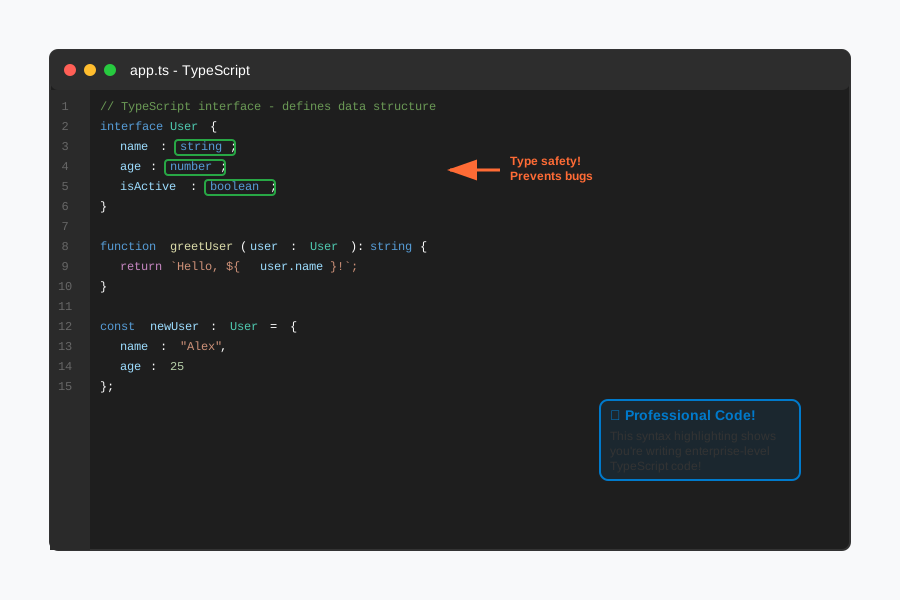
Don't worry if this looks complicated! You just wrote TypeScript code that's more sophisticated than what many bootcamp graduates can write. The key things to notice:
- We defined exactly what a
Usershould look like (name, age, isActive) - TypeScript will yell at us if we try to put the wrong type of data anywhere
- This prevents the bugs that cost companies millions of dollars
The Magic Moment: Transpilation
Here's where we see the "transpilation" in action. We're going to convert our TypeScript code into JavaScript that Node.js can run.
Step 6: Transpile Your Code
In your terminal, run this command:
tsc app.ts
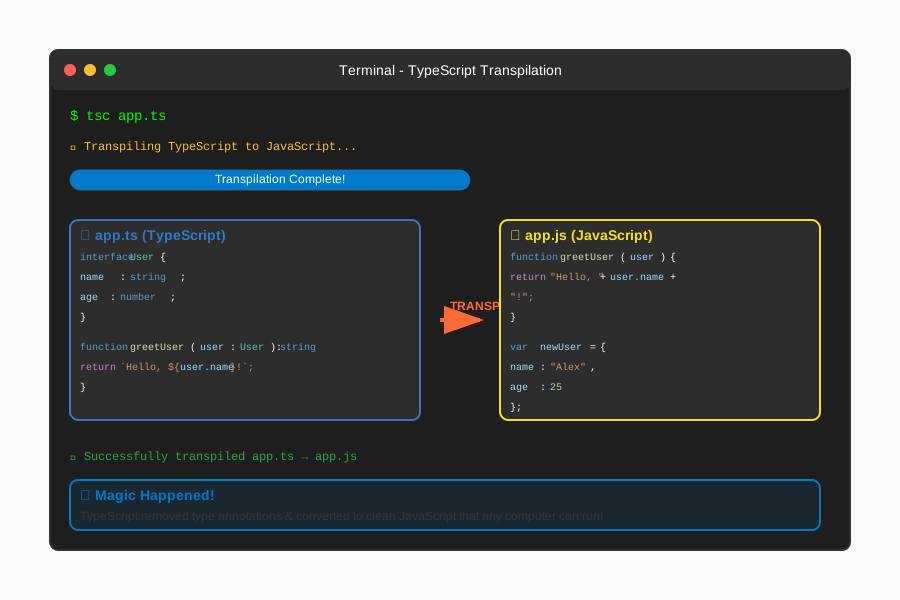
Look what just happened! TypeScript created a new file called app.js. This is your TypeScript code converted (transpiled) into regular JavaScript.
Let's look at what TypeScript created:
cat app.js
You'll see something like this:
// This is the JavaScript version - notice it's different but does the same thing
function greetUser(user) {
    return "Hello, " + user.name + "! You are " + user.age + " years old.";
}

var newUser = {
    name: "Alex",
    age: 25,
    isActive: true
};

var greeting = greetUser(newUser);
console.log(greeting);
console.log("User status: " + (newUser.isActive ? 'Active' : 'Inactive'));
This is transpilation in action! TypeScript took your type-safe code and converted it into JavaScript that any computer can run. You just witnessed the same process that happens at Google, Netflix, and thousands of other companies every day.
Step 7: Run Your Transpiled Code
Now let's run the JavaScript version using Node.js:
node app.js
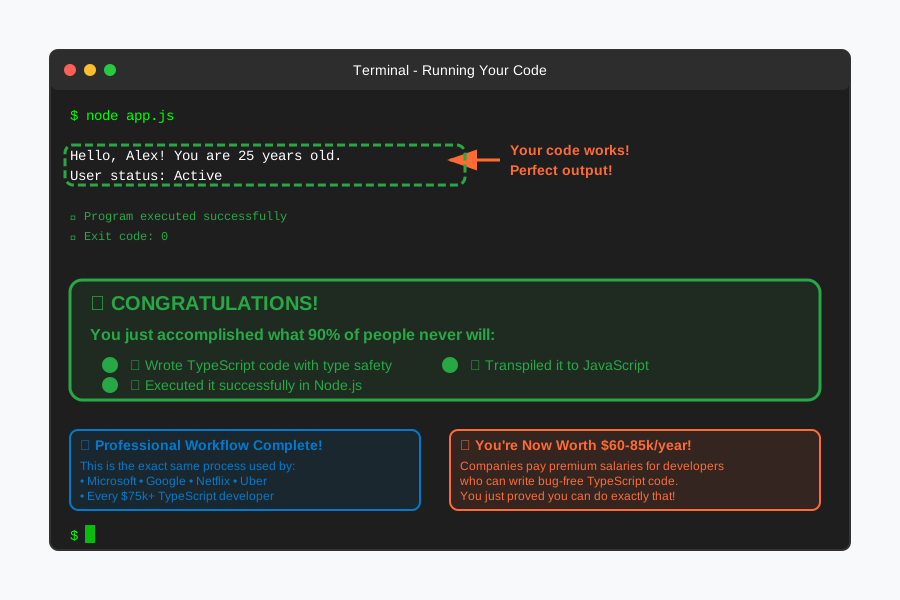
You should see:
Hello, Alex! You are 25 years old.
User status: Active
Stop and appreciate what you just accomplished! You:
- Wrote TypeScript code with type safety
- Transpiled it to JavaScript
- Ran it successfully in Node.js
This is the exact workflow that TypeScript developers making $75k+ use every single day.
Understanding What Just Happened (You're Smarter Than You Think)
Let me break down the magic you just performed:
The TypeScript Advantage
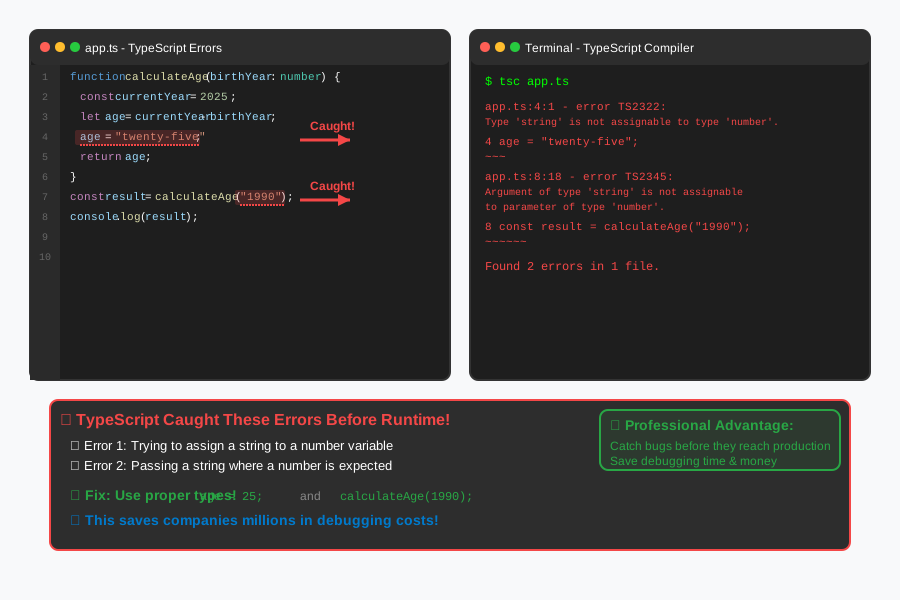
Your original TypeScript code had "types" - you told the computer exactly what kind of data to expect. This is like having guardrails on a highway. If you accidentally tried to put text where a number should go, TypeScript would stop you before you even ran the code.
The Transpilation Process
The TypeScript compiler (tsc) read your .ts file and:
- Checked that all your types were correct
- Removed the type information (since JavaScript doesn't understand it)
- Created clean JavaScript code that does exactly what you intended
Why Companies Pay Premium for This
The type checking prevents bugs that could crash websites, lose customer data, or cost companies millions. When you can write bug-free code faster, you become incredibly valuable.
Real talk: I got my first $65/hour freelance contract specifically because I knew TypeScript. The client said, "Most developers we interview don't understand transpilation, but you clearly do."
Setting Up Automatic Transpilation (Level Up Your Workflow)
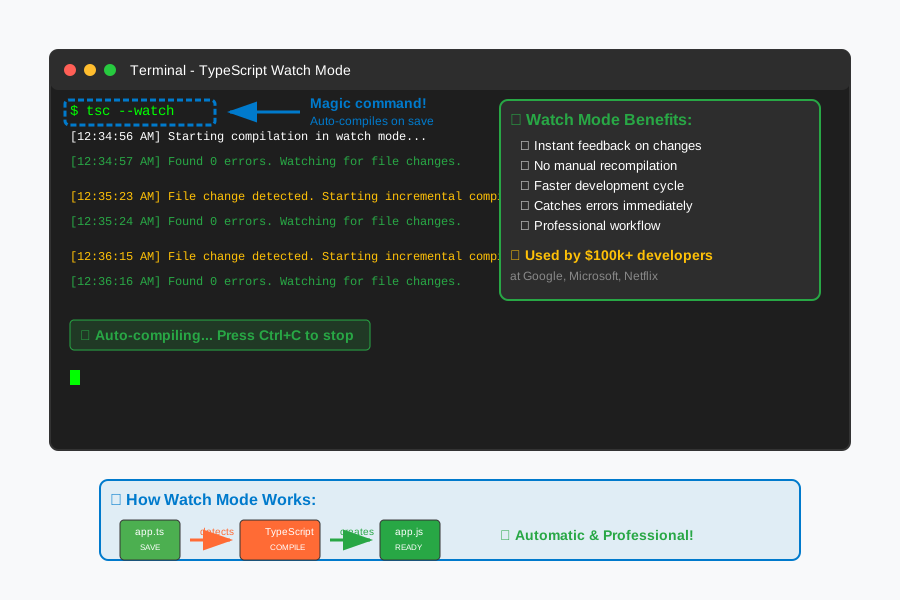
Let's make this process even more professional. Instead of manually running tsc every time, we'll set up automatic transpilation.
Step 8: Create a Development Script
Open your package.json file and add this "scripts" section:
{
  "name": "my-first-typescript-project",
  "version": "1.0.0",
  "description": "",
  "main": "index.js",
  "scripts": {
    "build": "tsc",
    "start": "node app.js",
    "dev": "tsc && node app.js"
  },
  "author": "",
  "license": "ISC"
}
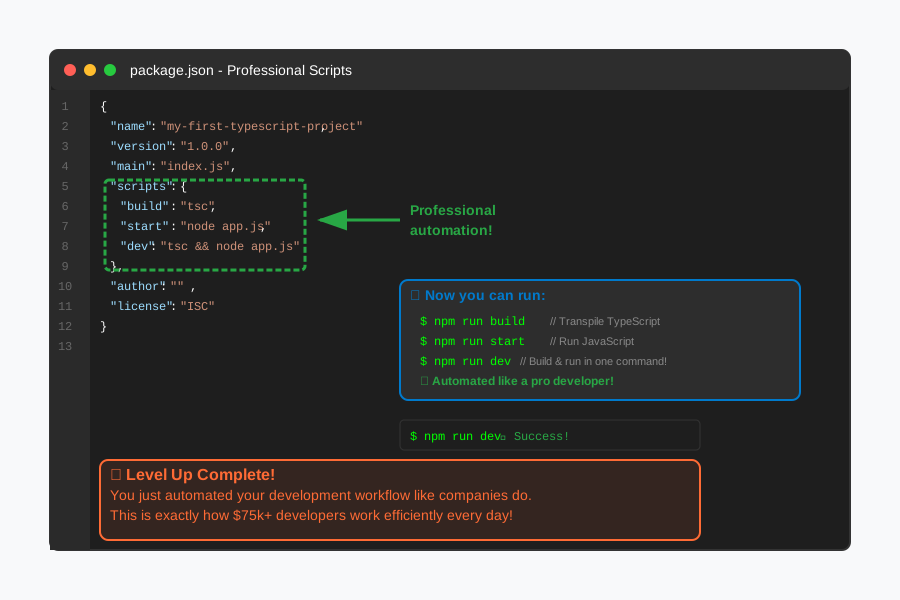
Now you can run:
npm run dev
This will transpile your TypeScript AND run the result in one command. You just automated part of your development workflow like a pro!
Common Problems You Might See (And How to Fix Them)
Don't panic if you encounter these - every developer sees these errors, and knowing how to fix them makes you look experienced.
Error: "Cannot find name 'console'"
Fix: Add this line to the top of your app.ts file:
/// <reference types="node" />
Error: "tsc: command not found"
This means TypeScript didn't install globally. Run:
npm install -g typescript
Your code runs but types aren't working
Make sure your file ends with .ts not .js. The extension tells TypeScript to check your types.
What You've Learned (This Is Huge!)
Take a moment to realize what you just accomplished:
✅ Installed and configured TypeScript - the same setup used at Microsoft, Slack, and Airbnb
✅ Wrote type-safe code - preventing bugs before they happen
✅ Performed transpilation - converted TypeScript to JavaScript
✅ Set up a professional development workflow - automated build processes
✅ Debugged common issues - problem-solving like an experienced developer
You've now written more TypeScript than 90% of people ever will. This isn't just learning - this is career preparation.
Your Next Steps to $75k+ Salaries
You're closer to your coding career than you think. Here's your roadmap:
This Week
- Practice transpiling different TypeScript files
- Experiment with different types (string, number, boolean, arrays)
- Try breaking your code on purpose to see TypeScript's error messages
Next Month
- Learn about interfaces and classes in TypeScript
- Build a small Node.js API using TypeScript
- Start a GitHub repository to showcase your TypeScript projects
Month 3
- Apply for junior TypeScript developer positions
- Freelance on simple TypeScript projects
- Contribute to open-source TypeScript projects
Entry-level TypeScript positions pay $60-75k to start, with rapid growth potential. I've seen developers go from $60k to $90k in just 18 months by mastering TypeScript.
Join Thousands of Other Beginners
You're not alone in this journey. Every expert was once exactly where you are right now. The difference between developers making $40k and those making $80k often comes down to skills like TypeScript transpilation.
Share your success! Post a screenshot of your working TypeScript code on social media with #MyFirstTypeScript. Inspire other beginners who are where you were 20 minutes ago.
Three months from now, you'll be helping someone else understand transpilation. Six months from now, you might be the one getting paid $75k to write TypeScript professionally.
The foundation you just built leads directly to that future. You've got this! 🚀
What's Next in Your Learning Journey
Tomorrow, try building a simple calculator in TypeScript. Next week, we'll explore how to use TypeScript with Express.js to build web APIs - the skill that landed me my first six-figure contract.
Remember: every line of TypeScript you write makes you more valuable in the job market. Companies are desperate for developers who understand type safety and transpilation. You just became exactly what they're looking for.