Ever wondered what Twitter really thinks about Tesla's latest earnings? Or whether Reddit users are bullish on GameStop this week? Building a stock sentiment dashboard sounds like rocket science, but with Ollama's local AI models and Streamlit's dead-simple interface, you can create a professional-grade sentiment analyzer in under 200 lines of code.
This tutorial shows you how to build a real-time stock sentiment dashboard that analyzes social media posts, news articles, and financial reports. You'll use Ollama's local language models for sentiment analysis and Streamlit for interactive data visualization.
What You'll Build
Your finished dashboard will:
- Analyze sentiment from multiple data sources
- Display real-time sentiment scores and trends
- Show interactive charts and visualizations
- Run entirely on your local machine
- Process unlimited text without API costs
Prerequisites and Setup
Before building your stock sentiment dashboard, ensure you have Python 3.8+ installed and basic knowledge of data manipulation with pandas.
Installing Required Dependencies
Create a new project directory and install the necessary packages:
mkdir stock-sentiment-dashboard
cd stock-sentiment-dashboard
pip install streamlit ollama pandas plotly yfinance requests beautifulsoup4 textblob
Setting Up Ollama
Download and install Ollama from ollama.ai. Then pull a suitable model for sentiment analysis:
ollama pull llama2:7b
The llama2:7b model provides excellent sentiment analysis capabilities while running efficiently on most hardware.
Building the Core Sentiment Analysis Engine
The sentiment analysis engine forms the backbone of your dashboard. Create a new file called sentiment_analyzer.py:
import ollama
import json
from typing import Dict, List, Optional
import re

class SentimentAnalyzer:
    def __init__(self, model_name: str = "llama2:7b"):
        """Initialize the sentiment analyzer with Ollama model."""
        self.model_name = model_name
        self.client = ollama.Client()

    def analyze_sentiment(self, text: str) -> Dict[str, float]:
        """
        Analyze sentiment of given text using Ollama.
        Returns sentiment scores for positive, negative, and neutral.
        """
        prompt = f"""
        Analyze the sentiment of the following text about stocks/finance.
        Return ONLY a JSON object with scores (0-1) for: positive, negative, neutral.

        Text: "{text}"

        JSON:
        """

        try:
            response = self.client.generate(
                model=self.model_name,
                prompt=prompt,
                stream=False
            )

            # Extract JSON from response
            content = response['response']
            json_match = re.search(r'\{.*\}', content, re.DOTALL)

            if json_match:
                result = json.loads(json_match.group())
                return {
                    'positive': float(result.get('positive', 0)),
                    'negative': float(result.get('negative', 0)),
                    'neutral': float(result.get('neutral', 0))
                }
            else:
                # Fallback to TextBlob for parsing errors
                from textblob import TextBlob
                blob = TextBlob(text)
                polarity = blob.sentiment.polarity

                if polarity > 0.1:
                    return {'positive': polarity, 'negative': 0, 'neutral': 1-polarity}
                elif polarity < -0.1:
                    return {'positive': 0, 'negative': abs(polarity), 'neutral': 1-abs(polarity)}
                else:
                    return {'positive': 0, 'negative': 0, 'neutral': 1}

        except Exception as e:
            print(f"Error analyzing sentiment: {e}")
            return {'positive': 0, 'negative': 0, 'neutral': 1}

    def batch_analyze(self, texts: List[str]) -> List[Dict[str, float]]:
        """Analyze sentiment for multiple texts."""
        return [self.analyze_sentiment(text) for text in texts]
This analyzer uses Ollama's local language model to classify text sentiment. The JSON-structured prompt ensures consistent output formatting.
Creating the Data Collection Module
Build a data collector that gathers stock-related content from multiple sources. Create data_collector.py:
import requests
import yfinance as yf
import pandas as pd
from bs4 import BeautifulSoup
from typing import List, Dict
import time
from datetime import datetime, timedelta

class StockDataCollector:
    def __init__(self):
        self.headers = {
            'User-Agent': 'Mozilla/5.0 (Windows NT 10.0; Win64; x64) AppleWebKit/537.36'
        }

    def get_stock_price(self, symbol: str) -> Dict:
        """Fetch current stock price and basic info."""
        try:
            ticker = yf.Ticker(symbol)
            info = ticker.info
            hist = ticker.history(period="1d")

            if not hist.empty:
                current_price = hist['Close'].iloc[-1]
                return {
                    'symbol': symbol,
                    'price': current_price,
                    'company_name': info.get('longName', symbol),
                    'market_cap': info.get('marketCap', 0),
                    'timestamp': datetime.now()
                }
        except Exception as e:
            print(f"Error fetching price for {symbol}: {e}")

        return {'symbol': symbol, 'price': 0, 'company_name': symbol, 'market_cap': 0}

    def get_news_headlines(self, symbol: str, limit: int = 10) -> List[Dict]:
        """Fetch recent news headlines for a stock."""
        try:
            ticker = yf.Ticker(symbol)
            news = ticker.news[:limit]

            headlines = []
            for article in news:
                headlines.append({
                    'title': article.get('title', ''),
                    'summary': article.get('summary', ''),
                    'source': article.get('publisher', 'Unknown'),
                    'timestamp': datetime.fromtimestamp(article.get('providerPublishTime', 0)),
                    'url': article.get('link', '')
                })

            return headlines

        except Exception as e:
            print(f"Error fetching news for {symbol}: {e}")
            return []

    def get_reddit_sentiment_data(self, symbol: str) -> List[Dict]:
        """
        Simulate Reddit data collection.
        In production, use PRAW (Python Reddit API Wrapper).
        """
        # Sample data for demonstration
        sample_posts = [
            f"{symbol} is looking bullish after earnings beat!",
            f"Worried about {symbol} performance this quarter",
            f"{symbol} seems overvalued at current levels",
            f"Great long-term potential for {symbol}",
            f"Market volatility affecting {symbol} negatively"
        ]

        return [
            {
                'text': post,
                'source': 'Reddit',
                'timestamp': datetime.now() - timedelta(hours=i),
                'author': f'user_{i}'
            }
            for i, post in enumerate(sample_posts)
        ]

    def collect_all_data(self, symbol: str) -> Dict:
        """Collect all available data for a stock symbol."""
        return {
            'price_data': self.get_stock_price(symbol),
            'news': self.get_news_headlines(symbol),
            'social_media': self.get_reddit_sentiment_data(symbol)
        }
This collector fetches real stock prices and news while providing sample social media data. You can extend it with real Reddit API integration using PRAW.
Building the Streamlit Dashboard Interface
Create the main dashboard file dashboard.py:
import streamlit as st
import plotly.graph_objects as go
import plotly.express as px
import pandas as pd
from datetime import datetime, timedelta
import time

from sentiment_analyzer import SentimentAnalyzer
from data_collector import StockDataCollector

# Page configuration
st.set_page_config(
    page_title="Stock Sentiment Dashboard",
    page_icon="📈",
    layout="wide",
    initial_sidebar_state="expanded"
)

# Initialize components
@st.cache_resource
def load_analyzer():
    return SentimentAnalyzer()

@st.cache_resource
def load_collector():
    return StockDataCollector()

def create_sentiment_chart(sentiment_data: pd.DataFrame):
    """Create interactive sentiment visualization."""
    fig = go.Figure()

    fig.add_trace(go.Scatter(
        x=sentiment_data['timestamp'],
        y=sentiment_data['positive'],
        mode='lines+markers',
        name='Positive',
        line=dict(color='green', width=3)
    ))

    fig.add_trace(go.Scatter(
        x=sentiment_data['timestamp'],
        y=sentiment_data['negative'],
        mode='lines+markers',
        name='Negative',
        line=dict(color='red', width=3)
    ))

    fig.add_trace(go.Scatter(
        x=sentiment_data['timestamp'],
        y=sentiment_data['neutral'],
        mode='lines+markers',
        name='Neutral',
        line=dict(color='gray', width=3)
    ))

    fig.update_layout(
        title="Stock Sentiment Trends",
        xaxis_title="Time",
        yaxis_title="Sentiment Score",
        hovermode='x unified',
        showlegend=True
    )

    return fig

def create_sentiment_pie_chart(avg_sentiment: dict):
    """Create pie chart for overall sentiment distribution."""
    fig = px.pie(
        values=list(avg_sentiment.values()),
        names=list(avg_sentiment.keys()),
        title="Overall Sentiment Distribution",
        color_discrete_map={
            'positive': 'green',
            'negative': 'red',
            'neutral': 'gray'
        }
    )
    return fig

def main():
    st.title("📈 Stock Sentiment Dashboard")
    st.markdown("Analyze market sentiment using local AI models")

    # Sidebar configuration
    st.sidebar.header("Configuration")

    # Stock symbol input
    symbol = st.sidebar.text_input("Stock Symbol", value="AAPL").upper()

    # Auto-refresh toggle
    auto_refresh = st.sidebar.checkbox("Auto-refresh (30s)", value=False)

    # Refresh button
    if st.sidebar.button("Refresh Data") or auto_refresh:
        st.rerun()

    # Initialize components
    analyzer = load_analyzer()
    collector = load_collector()

    # Collect data
    with st.spinner("Collecting stock data..."):
        data = collector.collect_all_data(symbol)

    # Display stock info
    col1, col2, col3 = st.columns(3)

    with col1:
        st.metric(
            label="Stock Price",
            value=f"${data['price_data']['price']:.2f}",
            delta=None
        )

    with col2:
        st.metric(
            label="Company",
            value=data['price_data']['company_name']
        )

    with col3:
        market_cap = data['price_data']['market_cap']
        if market_cap > 1e9:
            cap_display = f"${market_cap/1e9:.1f}B"
        else:
            cap_display = f"${market_cap/1e6:.1f}M"
        st.metric(label="Market Cap", value=cap_display)

    # Analyze sentiment
    st.subheader("Sentiment Analysis")

    with st.spinner("Analyzing sentiment with Ollama..."):
        # Analyze news sentiment
        news_texts = [f"{item['title']} {item['summary']}" for item in data['news']]
        social_texts = [item['text'] for item in data['social_media']]

        all_texts = news_texts + social_texts

        if all_texts:
            sentiment_results = analyzer.batch_analyze(all_texts)

            # Create DataFrame for visualization
            timestamps = ([datetime.now() - timedelta(hours=i) for i in range(len(news_texts))] +
                         [item['timestamp'] for item in data['social_media']])

            sentiment_df = pd.DataFrame({
                'timestamp': timestamps,
                'positive': [s['positive'] for s in sentiment_results],
                'negative': [s['negative'] for s in sentiment_results],
                'neutral': [s['neutral'] for s in sentiment_results],
                'source': ['News'] * len(news_texts) + ['Social Media'] * len(social_texts),
                'text': all_texts
            })

            # Display charts
            col1, col2 = st.columns(2)

            with col1:
                chart = create_sentiment_chart(sentiment_df)
                st.plotly_chart(chart, use_container_width=True)

            with col2:
                avg_sentiment = {
                    'positive': sentiment_df['positive'].mean(),
                    'negative': sentiment_df['negative'].mean(),
                    'neutral': sentiment_df['neutral'].mean()
                }
                pie_chart = create_sentiment_pie_chart(avg_sentiment)
                st.plotly_chart(pie_chart, use_container_width=True)

            # Sentiment summary
            st.subheader("Sentiment Summary")

            col1, col2, col3 = st.columns(3)

            with col1:
                st.metric(
                    label="Positive Sentiment",
                    value=f"{avg_sentiment['positive']:.2f}",
                    delta=f"{avg_sentiment['positive']-0.33:.2f}"
                )

            with col2:
                st.metric(
                    label="Negative Sentiment",
                    value=f"{avg_sentiment['negative']:.2f}",
                    delta=f"{avg_sentiment['negative']-0.33:.2f}"
                )

            with col3:
                st.metric(
                    label="Neutral Sentiment",
                    value=f"{avg_sentiment['neutral']:.2f}",
                    delta=f"{avg_sentiment['neutral']-0.33:.2f}"
                )

            # Detailed results
            st.subheader("Detailed Analysis")

            # Show individual sentiment scores
            st.dataframe(
                sentiment_df[['timestamp', 'source', 'positive', 'negative', 'neutral', 'text']],
                use_container_width=True
            )

        else:
            st.warning("No data available for sentiment analysis")

    # Auto-refresh implementation
    if auto_refresh:
        time.sleep(30)
        st.rerun()

if __name__ == "__main__":
    main()
Running Your Stock Sentiment Dashboard
Launch your dashboard with a single command:
streamlit run dashboard.py
Your browser will open to http://localhost:8501 showing the complete dashboard interface. Enter any stock symbol (like AAPL, TSLA, or GOOGL) to analyze sentiment.
Dashboard Features Overview
Your dashboard includes:
Real-time Stock Data: Current price, company information, and market capitalization Sentiment Visualization: Interactive charts showing positive, negative, and neutral sentiment trends Multi-source Analysis: Combined sentiment from news articles and social media posts Detailed Breakdown: Individual sentiment scores for each analyzed text Auto-refresh Capability: Automatic updates every 30 seconds
Customizing Your Dashboard
Adding More Data Sources
Extend the StockDataCollector class to include additional sources:
def get_twitter_data(self, symbol: str) -> List[Dict]:
    """Add Twitter API integration using tweepy."""
    # Implementation depends on Twitter API v2
    pass

def get_financial_news(self, symbol: str) -> List[Dict]:
    """Fetch from financial news APIs like Alpha Vantage."""
    # Implementation for financial news sources
    pass
Improving Sentiment Analysis
Enhance the sentiment analyzer with domain-specific financial models:
def analyze_financial_sentiment(self, text: str) -> Dict[str, float]:
    """Use finance-specific prompts for better accuracy."""
    financial_prompt = f"""
    As a financial analyst, analyze the sentiment of this text regarding stock investment.
    Consider financial terminology, market context, and investor emotions.

    Text: "{text}"

    Return JSON with scores (0-1) for: bullish, bearish, neutral.
    """
    # Process with enhanced financial context
Adding Technical Indicators
Include technical analysis alongside sentiment:
def calculate_technical_indicators(self, symbol: str) -> Dict:
    """Add RSI, MACD, and moving averages."""
    ticker = yf.Ticker(symbol)
    hist = ticker.history(period="3mo")

    # Calculate RSI
    delta = hist['Close'].diff()
    gain = (delta.where(delta > 0, 0)).rolling(window=14).mean()
    loss = (-delta.where(delta < 0, 0)).rolling(window=14).mean()
    rs = gain / loss
    rsi = 100 - (100 / (1 + rs))

    return {
        'rsi': rsi.iloc[-1],
        'ma_20': hist['Close'].rolling(window=20).mean().iloc[-1],
        'ma_50': hist['Close'].rolling(window=50).mean().iloc[-1]
    }
Deployment Options
Local Development
Run the dashboard locally for development and testing:
# Install development dependencies
pip install streamlit-dev

# Run with auto-reload
streamlit run dashboard.py --server.runOnSave=true
Docker Deployment
Create a Dockerfile for containerized deployment:
FROM python:3.9-slim

WORKDIR /app

COPY requirements.txt .
RUN pip install -r requirements.txt

COPY . .

EXPOSE 8501

CMD ["streamlit", "run", "dashboard.py", "--server.port=8501", "--server.address=0.0.0.0"]
Cloud Deployment
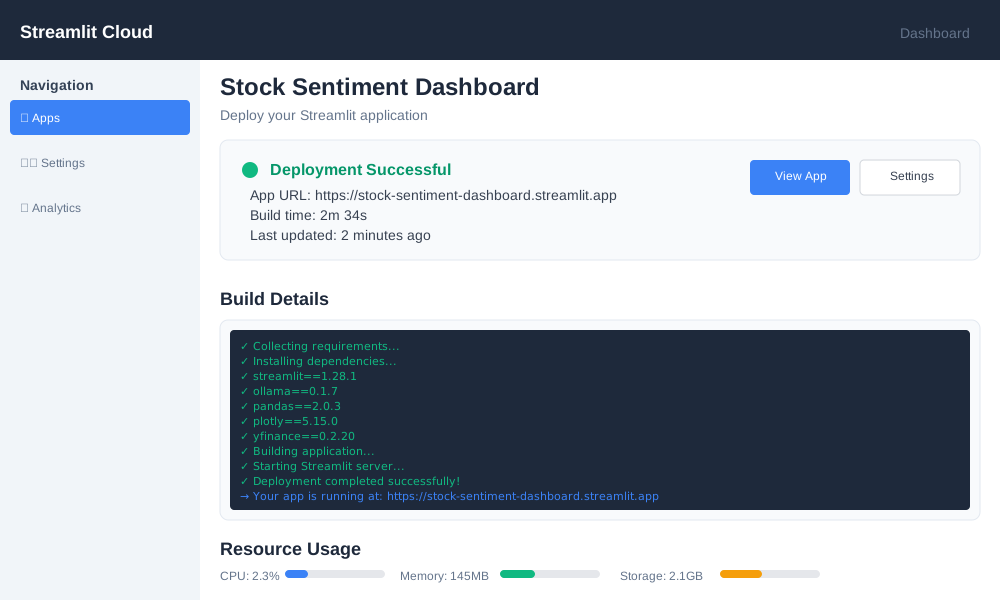
Deploy to Streamlit Cloud or other platforms:
- Push your code to GitHub
- Connect to Streamlit Cloud
- Configure environment variables
- Deploy with automatic CI/CD
Performance Optimization
Caching Strategies
Implement smart caching to reduce API calls and improve response times:
@st.cache_data(ttl=300)  # Cache for 5 minutes
def get_cached_stock_data(symbol: str):
    """Cache stock data to reduce API calls."""
    collector = StockDataCollector()
    return collector.collect_all_data(symbol)

@st.cache_resource
def initialize_ollama_model():
    """Cache Ollama model initialization."""
    return SentimentAnalyzer()
Memory Management
Optimize memory usage for large datasets:
def process_large_dataset(texts: List[str], batch_size: int = 10):
    """Process large text datasets in batches."""
    analyzer = SentimentAnalyzer()
    results = []

    for i in range(0, len(texts), batch_size):
        batch = texts[i:i + batch_size]
        batch_results = analyzer.batch_analyze(batch)
        results.extend(batch_results)

        # Clear memory between batches
        if i % 100 == 0:
            import gc
            gc.collect()

    return results
Troubleshooting Common Issues
Ollama Connection Problems
If Ollama fails to connect:
# Check Ollama status
ollama ps

# Restart Ollama service
ollama serve

# Verify model availability
ollama list
Memory Issues with Large Models
For systems with limited RAM:
# Use smaller models
analyzer = SentimentAnalyzer(model_name="llama2:7b-chat-q4_0")

# Implement batch processing
def analyze_in_batches(texts, batch_size=5):
    # Process smaller batches to conserve memory
    pass
API Rate Limits
Handle rate limiting gracefully:
import time
from functools import wraps

def rate_limit(calls_per_minute=60):
    def decorator(func):
        @wraps(func)
        def wrapper(*args, **kwargs):
            # Implement rate limiting logic
            time.sleep(60 / calls_per_minute)
            return func(*args, **kwargs)
        return wrapper
    return decorator
Next Steps and Advanced Features
Machine Learning Integration
Add predictive capabilities:
from sklearn.ensemble import RandomForestRegressor
import numpy as np

def predict_price_movement(sentiment_scores, technical_indicators):
    """Predict stock price movement based on sentiment and technicals."""
    # Combine sentiment and technical features
    features = np.array([
        sentiment_scores['positive'],
        sentiment_scores['negative'],
        technical_indicators['rsi'],
        technical_indicators['ma_20']
    ]).reshape(1, -1)

    # Use pre-trained model to predict
    model = load_trained_model()
    prediction = model.predict(features)

    return prediction[0]
Real-time Alerts
Implement alert system for significant sentiment changes:
def check_sentiment_alerts(current_sentiment, threshold=0.7):
    """Send alerts for extreme sentiment readings."""
    if current_sentiment['positive'] > threshold:
        send_alert("High positive sentiment detected!")
    elif current_sentiment['negative'] > threshold:
        send_alert("High negative sentiment detected!")
Portfolio Analysis
Extend to analyze multiple stocks:
def analyze_portfolio(symbols: List[str]) -> Dict:
    """Analyze sentiment for entire portfolio."""
    portfolio_sentiment = {}

    for symbol in symbols:
        data = collector.collect_all_data(symbol)
        sentiment = analyzer.analyze_sentiment(data)
        portfolio_sentiment[symbol] = sentiment

    return portfolio_sentiment
Conclusion
You've built a comprehensive stock sentiment dashboard that combines local AI processing with real-time data visualization. This system analyzes market sentiment using Ollama's powerful language models while maintaining complete data privacy through local processing.
The dashboard provides investors with valuable insights into market emotions, helping identify potential trading opportunities and market trends. Unlike cloud-based solutions, your local setup ensures unlimited analysis without API costs or data privacy concerns.
Key benefits of your implementation include real-time sentiment tracking, multi-source data integration, interactive visualizations, and complete local processing. The modular design allows easy expansion with additional data sources, enhanced models, and advanced features.
Ready to start analyzing market sentiment? Clone the complete project from GitHub and begin exploring what social media and news really think about your favorite stocks.