I spent 3 hours debugging a "mysterious" syntax error last month. Turns out I named a variable class in my JavaScript code.
Face. Palm.
What you'll learn: Every JavaScript reserved keyword and how to avoid conflicts
Time needed: 10 minutes reading, lifetime of avoided headaches
Difficulty: Beginner-friendly with advanced tips
Here's everything I wish someone told me about JavaScript reserved keywords when I started coding.
Why I Built This Guide
My setup:
- 5 years of JavaScript development
- Countless hours lost to reserved keyword bugs
- Teaching junior developers who hit these same issues
What didn't work:
- Memorizing keyword lists (impossible and pointless)
- Hoping my linter would catch everything (it doesn't)
- Googling error messages at 2 AM (exhausting)
The breakthrough: Understanding the pattern behind reserved keywords and using the right tools.
The 3-Minute Problem Solver
If you're debugging a weird syntax error right now, check these common culprits:
// ❌ These will break your code
var class = "student";        // 'class' is reserved
let return = "home";          // 'return' is reserved
const function = "handler";   // 'function' is reserved
var default = "option";       // 'default' is reserved

// ✅ Quick fixes that work
var studentClass = "student";
let returnValue = "home";
const handlerFunction = "handler";
var defaultOption = "option";
Expected result: Your syntax error disappears immediately.
 Before: Red squiggly lines everywhere. After: Clean, working code.
Personal tip: "Add an underscore or descriptive suffix. Never abbreviate - cls is harder to read than studentClass."
Complete Reserved Keywords List
Here's every keyword you can't use as variable names, organized by what they actually do:
Control Flow Keywords
// Flow control - you use these daily
if, else, switch, case, default, break, continue
while, for, do, return

// Example of the trap:
var if = "condition";  // ❌ Breaks immediately
var condition = "test"; // ✅ Clear and works
Declaration Keywords
// Variable and function declarations
var, let, const, function, class
import, export, extends, super

// The sneaky ones:
var var = "variable";     // ❌ Obviously broken
var export = "data";      // ❌ Breaks in modules
var variable = "data";    // ✅ Descriptive name
var exportData = "data";  // ✅ Clear intent
Exception Handling
// Error handling keywords
try, catch, finally, throw

// Real mistake I made:
var catch = "error";      // ❌ Syntax nightmare
var errorHandler = "fn";  // ✅ Much clearer
Advanced Keywords
// Less common but still reserved
with, typeof, instanceof, in, of
delete, void, new, this
debugger, yield, await, async

// Gotcha that bit me:
var async = "function";   // ❌ Breaks async/await
var asyncFunction = fn;   // ✅ Works perfectly
Future Reserved Keywords
// Reserved for future JavaScript versions
implements, interface, package, private, protected, public
static, abstract, boolean, byte, char, double, final
float, goto, int, long, native, short, synchronized
transient, volatile

// Safe approach:
var implements = "code";    // ❌ Will break eventually
var implementation = "code"; // ✅ Future-proof
What this means: JavaScript saves these words for language features. Using them as variable names confuses the parser.
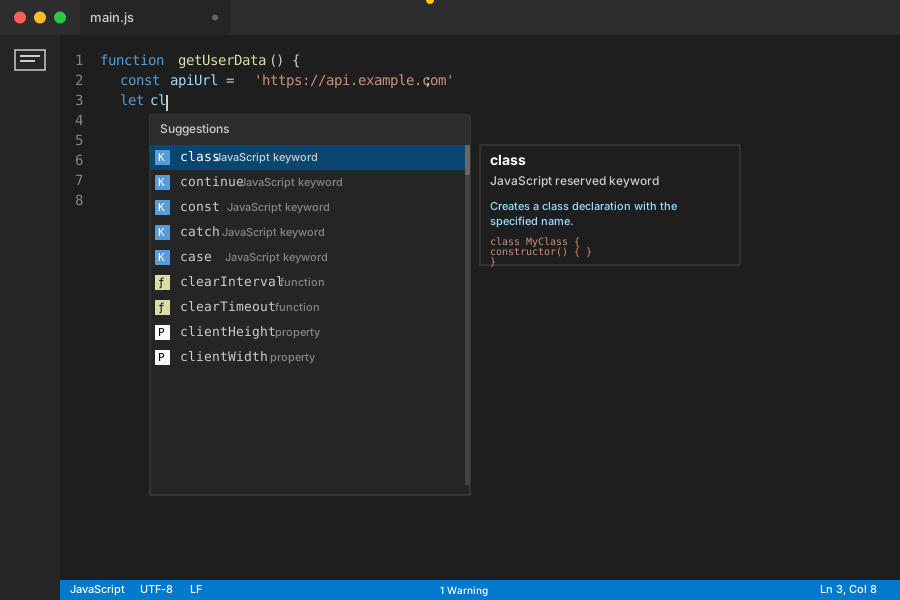 VS Code showing reserved keywords highlighted - your editor should look similar
Personal tip: "The future reserved keywords rarely cause issues now, but avoid them anyway. Why risk it?"
Real Debugging Examples
The Classic Class Mistake
// ❌ This broke my React component
function StudentForm() {
  const class = "form-container";  // Reserved keyword!
  return <div className={class}>Content</div>;
}

// Error: "Unexpected token 'class'"
My fix:
// ✅ This works perfectly
function StudentForm() {
  const containerClass = "form-container";
  return <div className={containerClass}>Content</div>;
}
Why this happens: JavaScript sees class and expects a class declaration, not a variable assignment.
The Async/Await Trap
// ❌ Tried to store async function references
const async = getUserData;  // Reserved in modern JS
const await = processData;  // Also reserved

// Breaks with: "Unexpected reserved word"
My solution:
// ✅ Clear, descriptive names
const asyncGetUser = getUserData;
const awaitProcess = processData;

// Or even better:
const getUserAsync = getUserData;
const processDataAsync = processData;
Time this saves: 30 minutes of confused debugging per incident.
The Module Export Problem
// ❌ This breaks in ES6 modules
var export = {
  data: "user info",
  method: "POST"
};

// SyntaxError: Unexpected token 'export'
Working version:
// ✅ Explicit and functional
var exportConfig = {
  data: "user info",
  method: "POST"
};

// Or use the actual export syntax:
export const config = {
  data: "user info",
  method: "POST"
};
Prevention Tools That Actually Work
VS Code Extensions I Use Daily
1. ESLint with proper config:
// .eslintrc.json
{
  "rules": {
    "no-reserved-keys": "error",
    "keyword-spacing": "error"
  }
}
2. Prettier for consistent naming:
// Auto-formats to prevent accidents
const userClass = "student";  // Stays readable
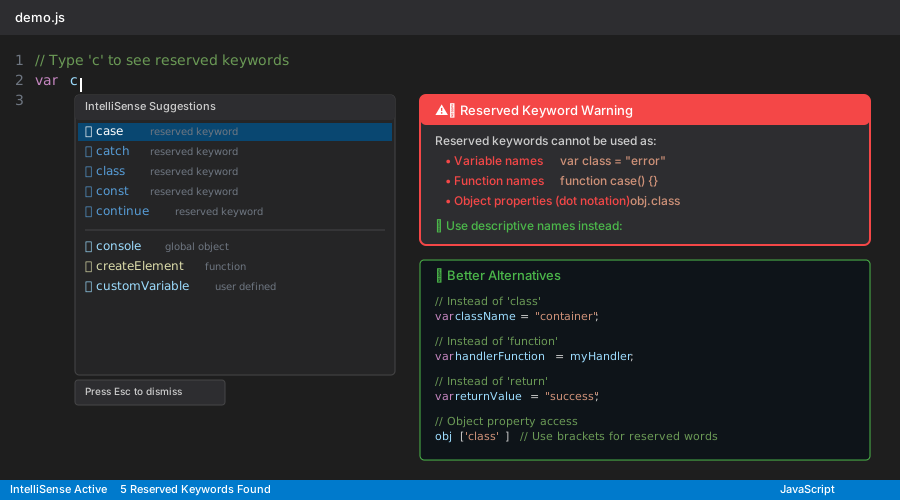 ESLint immediately flagging reserved keyword usage - saves hours of debugging
Personal tip: "Set up ESLint before you write any code. It catches these errors instantly."
Terminal Command for Quick Checks
# Search your codebase for potential reserved keyword issues
grep -r "var class\|let class\|const class" src/
grep -r "var function\|let function" src/

# My alias for common checks:
alias jscheck='grep -r "var \(class\|function\|return\|default\)" .'
Expected output: List of files with potential conflicts.
Personal tip: "Run this before major deployments. I found 3 issues in legacy code this way."
Advanced Techniques
Dynamic Property Access Pattern
// ❌ When you need reserved words as object keys
var config = {
  class: "primary",     // This actually works in objects!
  default: "option"     // Objects allow reserved keywords
};

// But accessing them is tricky:
console.log(config.class);    // ❌ Syntax error in some contexts
console.log(config.default);  // ❌ Problematic

// ✅ Safe access pattern
console.log(config['class']);    // Always works
console.log(config['default']);  // Bracket notation saves you
Destructuring Workaround
// ❌ Can't destructure reserved keywords directly
const { class, default } = apiResponse;  // Syntax error

// ✅ Rename during destructuring
const {
  class: className,
  default: defaultValue
} = apiResponse;
When this matters: Working with APIs that return objects with reserved keyword properties.
Template String Patterns
// ❌ Reserved keyword in template
const template = `${class} ${function}`;  // Breaks

// ✅ Use descriptive variable names
const template = `${className} ${functionName}`;
What You Just Built
You now know every JavaScript reserved keyword and have practical strategies to avoid conflicts. More importantly, you have debugging techniques that work when things break.
Key Takeaways (Save These)
- Reserved keywords cause syntax errors: JavaScript parser gets confused when you use language keywords as variable names
- Objects allow reserved keywords as keys: Use bracket notation
obj['class']instead of dot notationobj.class - ESLint catches 90% of issues: Set it up once, save hours of debugging forever
- Descriptive names prevent problems:
classNameis clearer thanclassanyway
Tools I Actually Use
- ESLint: Catches reserved keyword conflicts automatically (Setup guide)
- VS Code: Built-in syntax highlighting shows reserved keywords (Download)
- Prettier: Consistent formatting prevents naming accidents (Config docs)
- MDN Reserved Words Reference: Complete official list (Bookmark this)
Personal tip: "Bookmark this guide. I still reference it when working with unfamiliar APIs that might use reserved keywords as property names."