Problem: No One Knows Which Code Came From an AI
Your team ships features fast using GitHub Copilot, Claude, or ChatGPT. Now your legal team is asking which code was AI-generated. You have no idea.
You'll learn:
- Why AI code attribution matters for compliance and licensing
- How to add traceable watermarks using comments, git metadata, and tooling
- How to enforce it automatically in CI so nothing slips through
Time: 20 min | Level: Intermediate
Why This Happens
AI-generated code is invisible in your codebase. It looks identical to human-written code. No diff, no metadata, no trail.
That's becoming a legal problem. The EU AI Act (effective 2026) requires organizations to document AI involvement in high-risk systems. Several enterprise software licenses now include clauses about AI-generated contributions. And internal audit teams are starting to ask.
Common symptoms:
- Legal asks "what % of this codebase is AI-generated?" — you can't answer
- A compliance audit flags undocumented AI tooling
- A contributor dispute arises over AI-assisted code ownership
- Your IP policy requires human authorship attestation
Solution
There's no single universal standard yet, but a practical watermarking system has three layers:
- Inline comment metadata — human-readable, survives copy-paste
- Git commit tagging — machine-readable, queryable
- CI enforcement — automatic, prevents drift
Step 1: Define Your Watermark Format
Pick a comment format your whole team will use. Consistency matters more than which format you choose.
// @ai-generated: claude-3-7-sonnet | 2026-02-28 | prompt: "write a debounce utility"
// @ai-reviewed: true | reviewer: mark
function debounce<T extends (...args: unknown[]) => void>(fn: T, delay: number): T {
  let timer: ReturnType<typeof setTimeout>;
  return ((...args: unknown[]) => {
    clearTimeout(timer);
    // Delay execution until user stops triggering — prevents rapid re-renders
    timer = setTimeout(() => fn(...args), delay);
  }) as T;
}
Fields to include:
@ai-generated— model name + date + short prompt summary@ai-reviewed— whether a human reviewed it before mergereviewer— who approved it (for accountability)
Keep the prompt summary short. Its purpose is audit context, not documentation.
Expected: Your team has a shared snippet or IDE template for the header.
If it fails:
- Nobody uses it: Add a linter rule (Step 3) — make compliance automatic, not manual
- Prompt is too vague: Require at least a 5-word description in your lint rule
Step 2: Tag Git Commits with AI Metadata
Inline comments survive file edits. Git trailers survive blame and log queries.
Use Git trailers to add structured metadata to commits:
git commit -m "Add debounce utility

Implements debounce for search input to prevent excessive API calls.

Ai-Generated: claude-3-7-sonnet
Ai-Reviewed: true
Reviewer: mark
Prompt-Summary: write a debounce utility with typescript generics"
Now you can query your repo by AI involvement:
# Find all commits with AI-generated code
git log --grep="Ai-Generated:" --oneline

# Count AI-assisted commits in the last 90 days
git log --since="90 days ago" --grep="Ai-Generated:" --oneline | wc -l
Expected: Clean, queryable history. Your audit team can run this themselves.
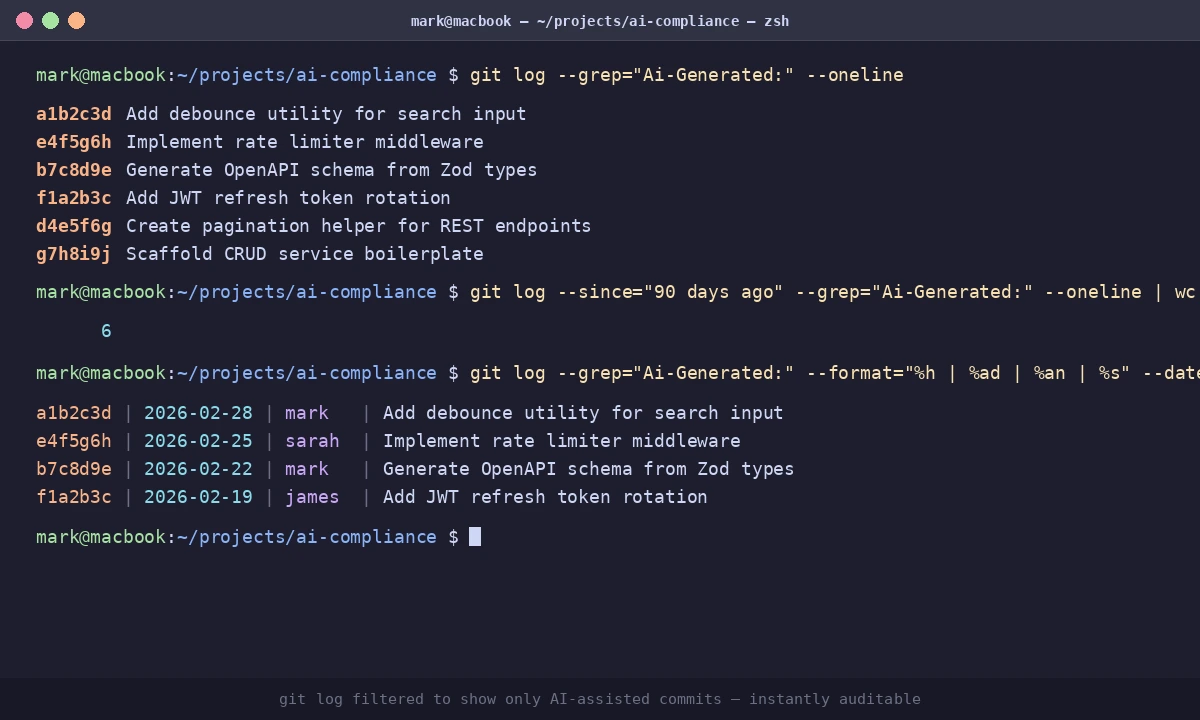 Git log filtered to show only AI-assisted commits — instantly auditable
If it fails:
- Trailers not parsing: Git trailers require a blank line before them in the commit message body
- Team skipping trailers: Add a commit-msg hook (next step)
Step 3: Enforce Watermarks in CI
Manual processes break under deadline pressure. Automate it.
3a: Commit Message Hook
# .git/hooks/commit-msg
#!/bin/bash

COMMIT_MSG=$(cat "$1")

if echo "$COMMIT_MSG" | grep -q "@ai-generated\|Ai-Generated:"; then
  if ! echo "$COMMIT_MSG" | grep -q "Ai-Reviewed:"; then
    echo "Error: AI-generated commits require 'Ai-Reviewed:' trailer."
    echo "Add: Ai-Reviewed: true|false"
    exit 1
  fi
fi

exit 0
Make it executable and version-control it with Husky:
chmod +x .git/hooks/commit-msg
npm install --save-dev husky
npx husky init
cp .git/hooks/commit-msg .husky/commit-msg
3b: CI Check for Missing Watermarks
# .github/workflows/ai-compliance.yml
name: AI Compliance Check

on: [pull_request]

jobs:
  check-ai-watermarks:
    runs-on: ubuntu-latest
    steps:
      - uses: actions/checkout@v4
        with:
          fetch-depth: 0

      - name: Check changed files for unwatermarked AI patterns
        run: |
          CHANGED=$(git diff --name-only origin/main...HEAD | grep -E '\.(ts|tsx|js|jsx)$')

          MISSING=0
          for FILE in $CHANGED; do
            if grep -q "// TODO\|// FIXME\|// Generated" "$FILE"; then
              if ! grep -q "@ai-generated\|Ai-Generated" "$FILE"; then
                echo "⚠️  Possible unwatermarked AI code: $FILE"
                MISSING=$((MISSING + 1))
              fi
            fi
          done

          if [ $MISSING -gt 0 ]; then
            echo "Found $MISSING file(s) with possible unwatermarked AI code."
            echo "Add @ai-generated headers or confirm the code is human-written."
            exit 0  # Change to exit 1 to block merge
          fi
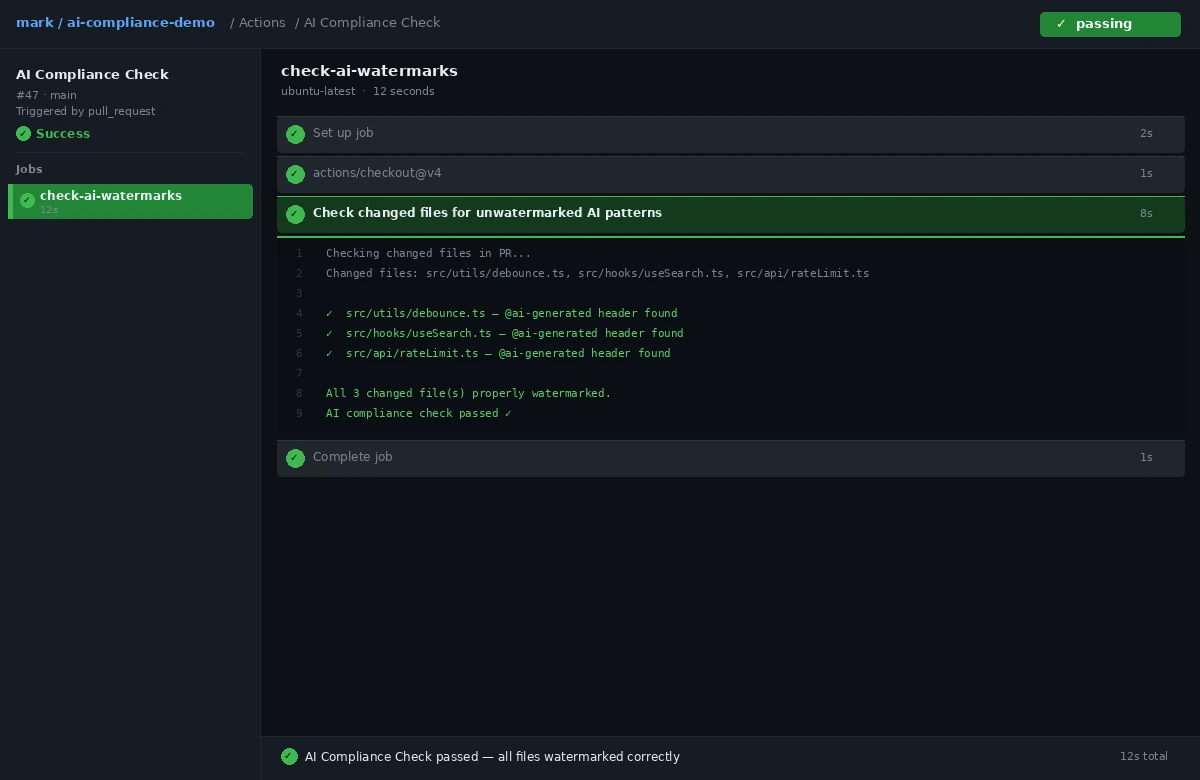 CI pipeline showing the AI compliance check — green on a properly watermarked PR
Step 4: Generate a Compliance Report
# Output CSV of all AI-assisted commits
git log --grep="Ai-Generated:" \
  --pretty=format:"%h,%ad,%an,%s" \
  --date=short > ai-code-audit.csv
For a richer report with model and reviewer fields:
import subprocess, csv

result = subprocess.run(
    ["git", "log", "--grep=Ai-Generated:", "--format=%H%n%ad%n%an%n%B%n---END---"],
    capture_output=True, text=True
)

with open("ai-audit-full.csv", "w", newline="") as f:
    writer = csv.writer(f)
    writer.writerow(["hash", "date", "author", "model", "reviewed", "reviewer"])

    for block in result.stdout.split("---END---"):
        lines = [l.strip() for l in block.strip().splitlines() if l.strip()]
        if not lines:
            continue

        entry = {"hash": lines[0], "date": lines[1], "author": lines[2]}
        for line in lines[3:]:
            if line.startswith("Ai-Generated:"):
                entry["model"] = line.split(":", 1)[1].strip()
            elif line.startswith("Ai-Reviewed:"):
                entry["reviewed"] = line.split(":", 1)[1].strip()
            elif line.startswith("Reviewer:"):
                entry["reviewer"] = line.split(":", 1)[1].strip()

        writer.writerow([
            entry.get("hash",""), entry.get("date",""), entry.get("author",""),
            entry.get("model",""), entry.get("reviewed",""), entry.get("reviewer","")
        ])

print("Report written to ai-audit-full.csv")
Verification
# How many AI-assisted commits do you have?
git log --grep="Ai-Generated:" --oneline | wc -l

# Do all of them include the Ai-Reviewed field?
git log --grep="Ai-Generated:" --format="%B" | grep -c "Ai-Reviewed:"
You should see: Both numbers match. If the second count is lower, track down and amend the missing commits before your next audit.
What You Learned
- Inline comment headers give human-readable attribution that survives copy-paste and refactoring
- Git trailers make AI usage machine-queryable without any third-party tooling
- CI hooks prevent the system from breaking under deadline pressure
- This approach works today without waiting for industry standards to settle
Limitation: This system tracks what your team declares, not what's actually AI-generated. It's an honor system with enforcement guardrails. For stricter verification, look into IDE-level telemetry from your AI provider or tools that fingerprint LLM output patterns.
When NOT to use this: If your codebase has no regulatory exposure and a tiny team, this overhead isn't worth it. Start with the git trailer only — it costs almost nothing and gives you queryability when you need it.
Tested on Git 2.47, GitHub Actions, Node.js 22.x, TypeScript 5.7 — macOS and Ubuntu