Problem: Reliable Docking Is Still Hard in 2026
Your robot needs to dock accurately — charging station, conveyor handoff, delivery slot — and you've heard AprilTags might be overkill now that ArUco, QR, and even neural pose estimators exist. So which is actually worth using?
You'll learn:
- Why AprilTags still win for precision docking in most setups
- How to generate tags, tune detection, and publish a pose in ROS 2
- The one scenario where you should use something else
Time: 25 min | Level: Intermediate
Why AprilTags Still Hold Up
AprilTag 3 (the current standard) was designed around one goal: accurate 6-DOF pose at low compute cost. That's exactly what docking needs.
The alternatives in 2026 each have a catch. ArUco detection is built into OpenCV but pose accuracy is measurably worse at oblique angles. Neural pose estimators (FoundationPose, etc.) are fantastic for arbitrary objects but require a GPU and add latency that makes tight docking loops jittery. QR codes aren't designed for pose at all.
Common symptoms that bring people here:
- Dock attempts succeed at 1m but drift at 0.5m approach
- Tag detection drops out under mixed lighting
- Pose jumps between frames causing overcorrection
If any of these sound familiar, the fix is usually a tuning problem, not the wrong library.
Solution
Step 1: Generate Your Tags
Use the official apriltag-generation Python package. Don't screenshot tags from the internet — print quality and exact sizing matter for accurate pose.
pip install apriltag-generation
import apriltag

# Tag family: tag36h11 is the 2026 default — best error correction
gen = apriltag.TagGenerator("tag36h11")

# Generate tag ID 0 at 800px — scale to your physical print size later
tag = gen.generate(0)
tag.save("dock_tag_0.png")
Why tag36h11: It has the most redundancy bits of the standard families. At docking distances (0.2m–1.5m) this matters more than the slightly smaller detectable size of tag25h9.
Expected: A clean black-and-white PNG with no antialiasing on the borders.
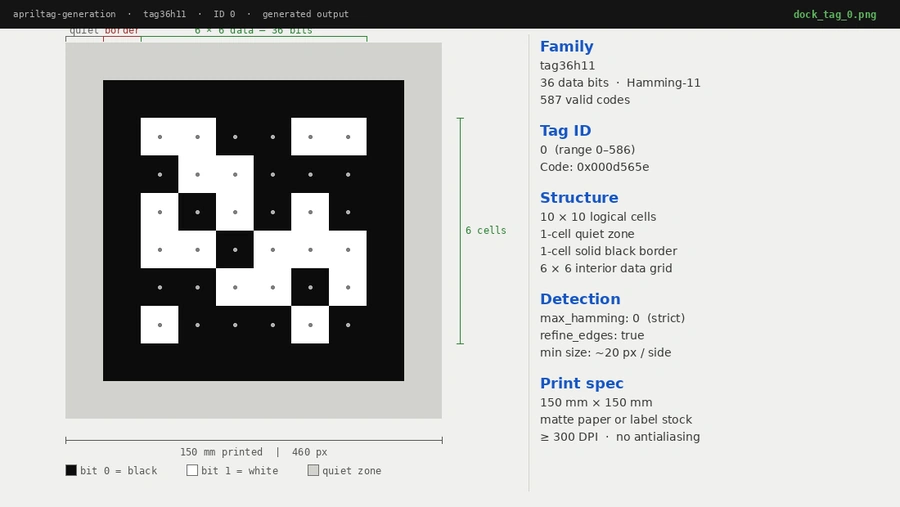 tag36h11 ID 0 — the white border (quiet zone) must be at least 1 tag-cell wide when printed
If it fails:
- ImportError:
pip install apriltag-generationnotapriltag— they're different packages - Blurry edges: Don't resize the PNG in an image editor; print at a DPI that makes the pixel grid land on exact millimeters
Step 2: Print and Mount the Tag
Physical setup is where most docking failures originate.
- Print on matte paper or matte label stock — glossy causes specular glare
- Tag size recommendation: minimum 15cm × 15cm for detection at 1.5m with a standard 1080p camera
- Mount flat and perpendicular to the expected approach angle within ±30°
- Measure the printed tag size in millimeters — you'll need this in Step 3
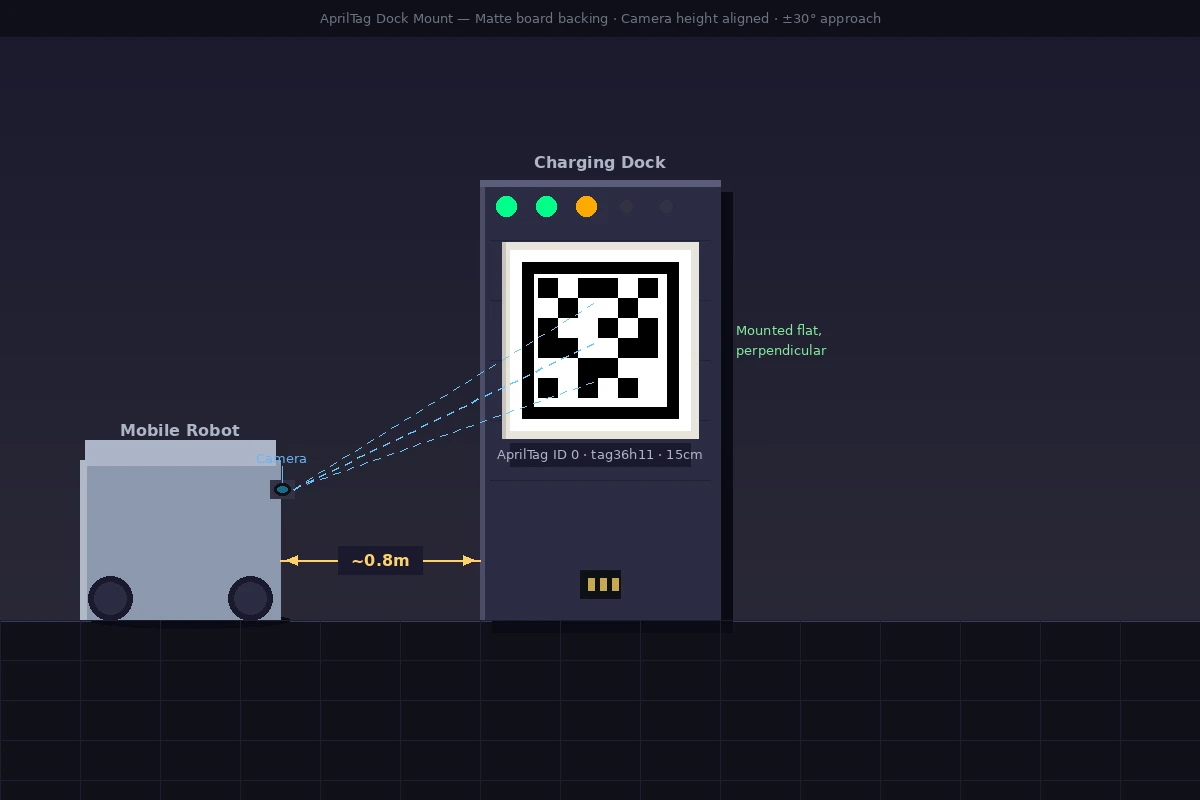 Tag mounted at camera height, centered on the dock face. Matte foam board backing prevents warping.
Step 3: ROS 2 Detection Node
The apriltag_ros package is the standard integration. Install it for your ROS 2 distro (Jazzy is current as of 2026):
sudo apt install ros-jazzy-apriltag-ros
Configure the detector in config/apriltag.yaml:
apriltag:
  ros__parameters:
    family: tag36h11
    size: 0.15          # Tag size in meters — must match your printed tag
    max_hamming: 0      # 0 = only perfect detections; raise to 1 if you miss frames
    detector:
      threads: 2
      decimate: 1.0     # Increase to 2.0 on slower hardware to halve processing area
      blur: 0.0
      refine_edges: true  # Critical for sub-pixel accuracy at close range
      debug: false
    tag:
      ids: [0]          # Whitelist your dock tag ID
      frames: ["dock_tag"]
      sizes: [0.15]
Launch the node:
ros2 launch apriltag_ros apriltag.launch.py \
  params_file:=config/apriltag.yaml \
  camera_name:=/camera \
  image_topic:=image_raw
Expected: You should see /detections publishing apriltag_ros_msgs/AprilTagDetectionArray messages when the tag is in frame.
# Quick check
ros2 topic echo /detections
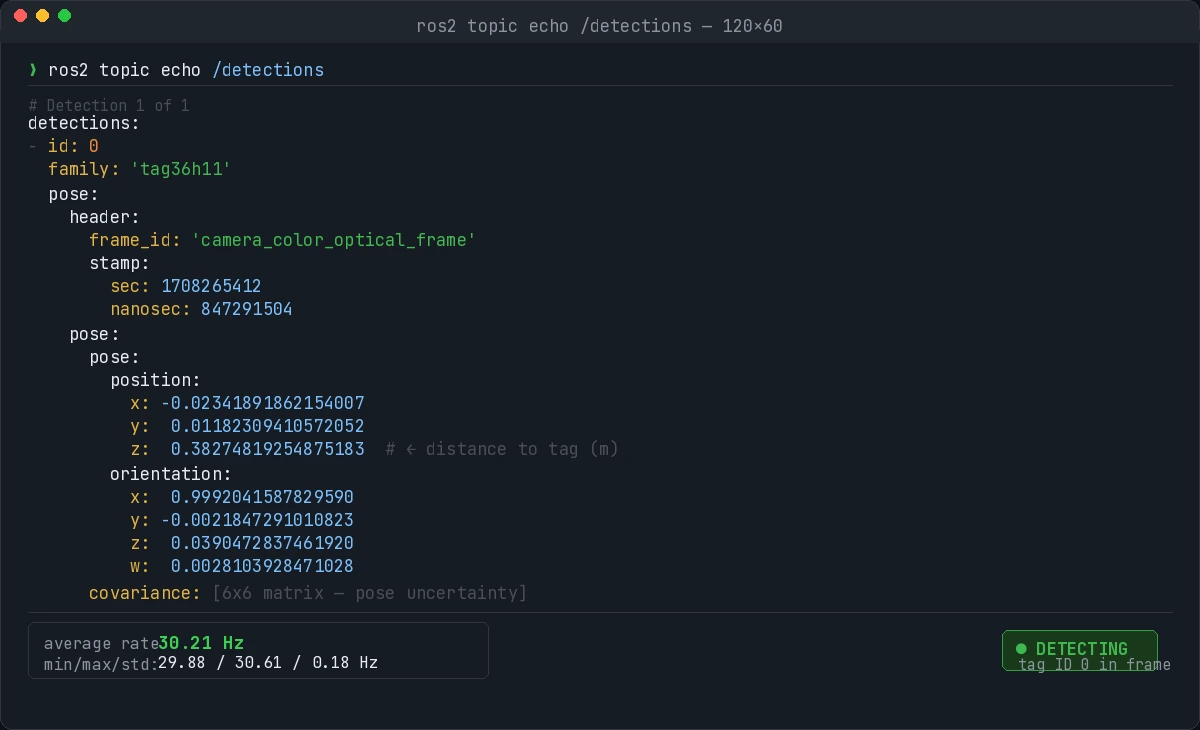 A detection with pose.position and pose.orientation — z is distance from camera
If it fails:
- No messages published: Check camera info topic is publishing calibration data — pose estimation requires it
family not found: Rebuild the package; apt version may lag behind distro release
Step 4: Use the Pose for Docking Control
The detection gives you a transform from the camera frame to the tag. Feed it directly into your docking controller:
import rclpy
from rclpy.node import Node
from apriltag_ros_msgs.msg import AprilTagDetectionArray

class DockingController(Node):
    def __init__(self):
        super().__init__('docking_controller')
        self.sub = self.create_subscription(
            AprilTagDetectionArray,
            '/detections',
            self.on_detection,
            10
        )

    def on_detection(self, msg):
        if not msg.detections:
            return

        det = msg.detections[0]
        pose = det.pose.pose.pose

        x = pose.position.x   # Left/right offset from camera center
        y = pose.position.y   # Up/down offset
        z = pose.position.z   # Distance to tag — drive toward zero

        # Simple proportional approach: reduce speed as z decreases
        linear_vel = min(0.3, z * 0.5)   # Cap at 0.3 m/s
        angular_vel = -x * 1.2           # Steer toward center

        self.publish_cmd(linear_vel, angular_vel)
Why proportional works here: For final docking (last 1.5m), you don't need a full trajectory planner. P-control on x-offset and z-distance is reliable and easy to tune. Add a D term only if you see oscillation at close range.
Verification
Run the full stack and drive toward the dock:
ros2 launch your_robot docking.launch.py
ros2 topic hz /detections   # Should be ~30Hz at standard camera rate
You should see: Detection rate staying above 25Hz through the approach, z dropping smoothly to near zero, and the robot centering on the tag without overcorrection.
 Final docked position — tag centered in frame, z < 0.05m
What You Learned
- AprilTag 3 with tag36h11 is still the accuracy-per-compute leader for precision docking in 2026
- Physical setup (tag size, matte print, flat mount) causes more failures than software config
refine_edges: trueis the single biggest tuning lever for close-range accuracy- For GPU-enabled platforms doing multi-object manipulation, FoundationPose is worth evaluating — but not for a fixed dock marker
Limitation: AprilTags struggle at extreme angles (>60° off-axis) and in environments with strong IR lighting (some warehouses). If that's your setup, combine the tag with an IR-filtered camera or switch to a floor-based docking approach.
Tested on ROS 2 Jazzy, Ubuntu 24.04, apriltag_ros 3.2.1, Realsense D435i