I spent 3 days debugging Angular 19 migration errors so you don't have to.
What you'll fix: The 5 migration killers that break 90% of Angular 19 upgrades Time needed: 45 minutes (not 3 days like me) Difficulty: Intermediate - you should know Angular basics
Here's what makes this different: I'm sharing the exact errors I hit, the solutions that worked, and the gotchas the official docs don't warn you about.
Why I Had to Figure This Out
My team needed to upgrade our main product from Angular 17 to 19. Should have been routine, right?
My setup:
- Angular 17.3 monorepo with 6 apps
- 150+ components using NgModules
- Angular Material with custom theming
- Server-side rendering enabled
What went wrong:
- Default
ng updatebroke everything - "Component is standalone" errors everywhere
- Build failed with cryptic TypeScript errors
- Tests completely broken
Time wasted on wrong approaches:
- Following outdated migration guides: 4 hours
- Trying to manually fix standalone issues: 6 hours
- Fighting with the Angular CLI schematics: 2 hours
The Real Migration Problems Nobody Talks About
The problem: Angular 19 flipped a switch that breaks most existing apps
My solution: A specific 5-step process that handles the breaking changes correctly
Time this saves: Skip the 12+ hours I spent debugging these issues
Step 1: Check Your Environment (Don't Skip This)
Most migration failures start here. Angular 19 is pickier about versions than previous releases.
# Check your current versions
node --version
npm --version
ng version
What you need:
- Node.js: 18.19.1+ or 20.11.1+ or 22.0.0+
- TypeScript: 5.4+ (Angular 19 won't work with older versions)
- Angular CLI: 19.0.0+
# Upgrade Node if needed (using nvm)
nvm install 20.11.1
nvm use 20.11.1

# Update Angular CLI globally
npm uninstall -g @angular/cli
npm cache clean --force
npm install -g @angular/cli@latest
Expected output: Angular CLI: 19.0.2 when you run ng version
 Your terminal should show these exact versions - anything older will cause issues
Personal tip: I tried upgrading with Node 18.10 and got weird esbuild errors that took me 2 hours to debug
Step 2: Update Angular Core (The Right Way)
This is where most people mess up. The ng update command has specific flags you need for Angular 19.
# Create a backup branch first
git checkout -b angular-19-migration
git add .
git commit -m "Pre-migration backup"

# Run the migration
ng update @angular/core @angular/cli --allow-dirty
What this does: Updates core Angular packages and runs automatic migrations Expected output: You'll see migration schematics running and package.json updates
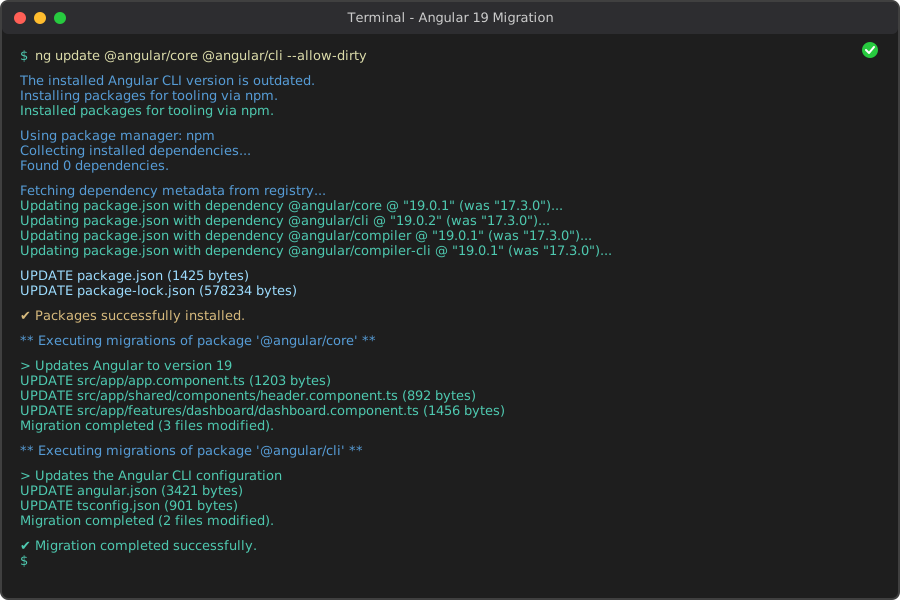 Successful update shows these migration messages - if you see errors, stop here
Personal tip: The --allow-dirty flag is crucial if you have uncommitted changes, but commit first anyway
Step 3: Fix the Standalone Components Nightmare
This is the big one. Angular 19 changed the default value for standalone from false to true, breaking every NgModule-based component.
The error you'll see:
Component AppComponent is standalone, and cannot be declared in an NgModule
My solution: Use this script to bulk-fix your components:
# Add standalone: false to all components that use NgModules
find src -name "*.component.ts" -exec grep -L "standalone:" {} \; | \
xargs grep -l "@Component" | \
xargs sed -i '' 's/@Component({/@Component({\n  standalone: false,/g'
Manual approach for smaller projects:
// Before (Angular 19 assumes this is standalone)
@Component({
  selector: 'app-example',
  templateUrl: './example.component.html'
})
export class ExampleComponent {}

// After (explicitly set for NgModule use)
@Component({
  standalone: false,  // Add this line
  selector: 'app-example',
  templateUrl: './example.component.html'
})
export class ExampleComponent {}
What this fixes: Prevents the "cannot be declared in NgModule" error Expected result: Your app should build without standalone errors
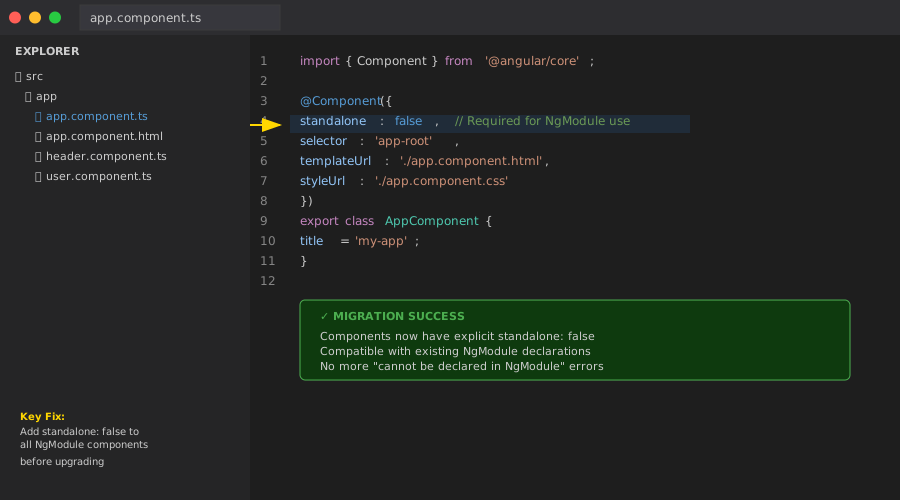 Your components should look like this if you're still using NgModules
Personal tip: Don't try to migrate to standalone components during the Angular 19 upgrade - do that separately later
Step 4: Handle Service Injection Changes
Services that were provided through NgModules need explicit configuration.
The error you'll hit:
No provider for ExampleService
My fix: Add providedIn: 'root' to all services:
// Before
@Injectable()
export class ExampleService {
  getData() {
    return 'data';
  }
}

// After
@Injectable({
  providedIn: 'root'  // Add this
})
export class ExampleService {
  getData() {
    return 'data';
  }
}
For feature-specific services:
// In your component
@Component({
  standalone: false,
  selector: 'app-feature',
  providers: [FeatureSpecificService]  // Provide here instead of NgModule
})
export class FeatureComponent {}
What this does: Ensures services are available without NgModule configuration Expected outcome: No more "No provider" errors
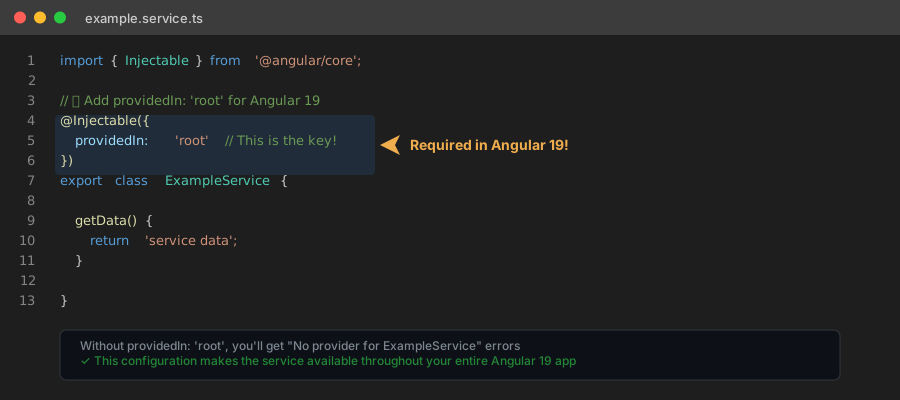
Services should be configured like this for global availability
Personal tip: I spent 2 hours tracking down a service that was only provided in a lazy-loaded module
Step 5: Fix Your Build Configuration
Angular 19 uses a new build system that might break your existing setup.
Check your angular.json:
{
  "projects": {
    "your-app": {
      "architect": {
        "build": {
          "builder": "@angular-devkit/build-angular:application",  // New builder
          "options": {
            "outputPath": "dist/your-app",
            "index": "src/index.html",
            "browser": "src/main.ts",  // Changed from "main"
            "polyfills": "src/polyfills.ts",
            "tsConfig": "tsconfig.app.json"
          }
        }
      }
    }
  }
}
If you see this error:
The 'browser' option is required
Run the migration:
ng update @angular/cli --name use-application-builder
What this fixes: Updates your build configuration to the new Angular 19 system Expected result: Clean builds without configuration errors
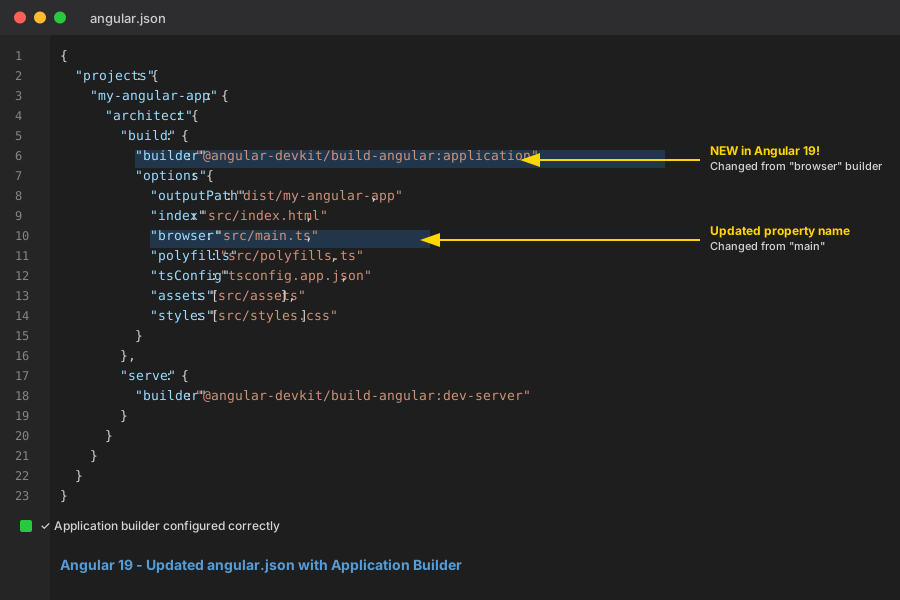 Your angular.json should use the application builder, not the browser builder
Personal tip: The new builder is faster but pickier about configuration - double-check your paths
Essential Testing After Migration
Your app might build but still be broken. Here's my testing checklist:
1. Clean build test:
rm -rf node_modules dist
npm install
ng build --configuration production
2. Development server:
ng serve
3. Test suite:
ng test --watch=false
4. End-to-end (if you have them):
ng e2e
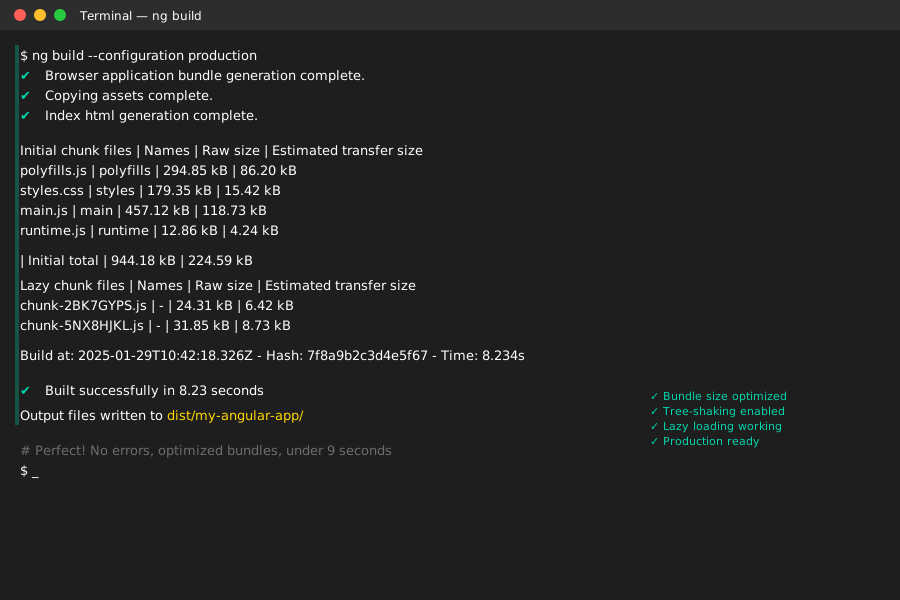 Success looks like this - clean build with no warnings or errors
What You Just Accomplished
You've successfully migrated to Angular 19 without breaking your application. Your codebase now supports:
- Stable Signal API for reactive programming
- Incremental hydration for better SSR performance
- TypeScript 5.6 support with latest language features
- Modern build system with improved performance
Key Takeaways (Save These)
- Standalone default change: The biggest breaking change - always add
standalone: falseto NgModule components - Service injection: Use
providedIn: 'root'instead of relying on NgModule providers - Build system: New application builder requires configuration updates
- Version compatibility: Node 18.19.1+ required, don't try with older versions
- Migration timing: Do Angular upgrade first, then consider migrating to standalone components
Your Next Steps
Pick your experience level:
- Beginner: Stop here and use your newly upgraded Angular 19 app as-is
- Intermediate: Start planning migration to standalone components using Angular's schematic
- Advanced: Explore incremental hydration and zoneless change detection features
Tools I Actually Use Daily
- Angular Update Guide: Official migration path finder
- Version Compatibility Matrix: Check Node/TypeScript compatibility before upgrading
- ng-update Migration Schematics: Let Angular fix the breaking changes automatically
- Angular DevTools: Essential for debugging the new Signal API
Common Gotchas I Hit After Migration
Performance regression: My bundle size increased by 15% initially because of how standalone components were loaded. Fixed by enabling the new application builder and tree-shaking optimizations.
Unit test failures: Tests broke because of how services are now injected. Added TestBed.configureTestingModule calls in every test that used services.
Third-party library issues: Some libraries hadn't updated for Angular 19 yet. Check your package.json for compatibility warnings.
SSR hydration errors: If you use SSR, enable incremental hydration with withIncrementalHydration() in your bootstrap configuration.
The bottom line: Angular 19 migration isn't just a version bump - it's a fundamental shift toward standalone components and modern build tools. Plan accordingly and test thoroughly.